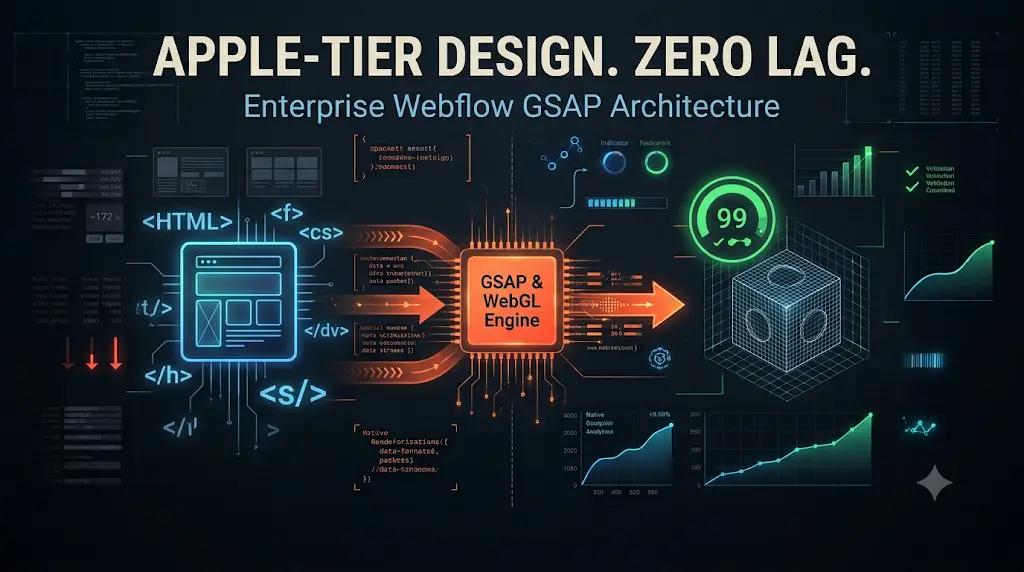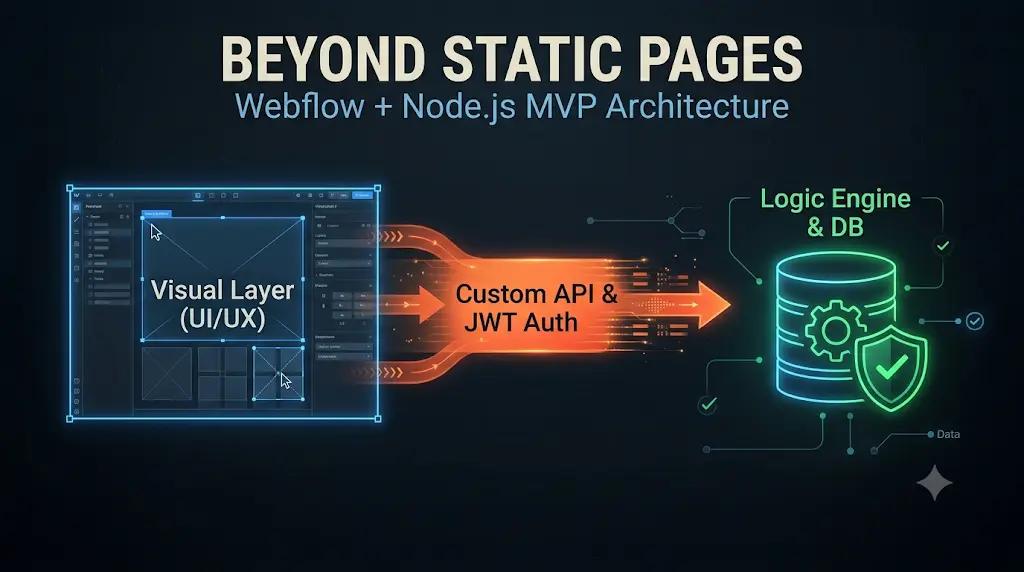
By engineering a hybrid Webflow Node.js SaaS architecture, you can pair the visual perfection of Webflow with a powerful, custom-coded backend engine. Here is the CTO-level playbook on how we bridge visual frontends with headless Node.js APIs to launch high-performance SaaS MVPs in record time.
It is a familiar narrative in the modern startup ecosystem. A non-technical founder, or a highly design-focused technical founder, sets out to build a Minimum Viable Product (MVP) for their new B2B SaaS platform.
They discover Webflow. They are instantly mesmerized by the platform’s visual development capabilities. They build a breathtaking, Apple-tier landing page with complex animations, perfect typography, and a flawless grid layout. They successfully capture the attention of investors and secure a waitlist of 5,000 eager beta users.
But then, reality sets in. The users need to actually log in. They need to upload CSV files, process complex usage-based payments via Stripe, view dynamic data dashboards, and trigger background algorithms.
The founder quickly realizes the terrifying truth: Webflow is the world’s greatest presentation layer, but it is not a software backend. Native features like Webflow Memberships or Webflow Logic are fantastic for simple blogs or premium content gating, but they completely collapse when asked to execute complex, relational SaaS business logic.
The traditional advice at this juncture is painful: “Throw the Webflow site away and pay an agency $100,000 to rebuild the entire application from scratch in React and Node.js.”
At Datronix Tech, we completely reject that advice. You do not have to choose between Webflow’s design flexibility and enterprise software functionality.
01The Bleeding Neck: When “No-Code” Hits the Wall
Before we design the cure, we must deeply analyze the limitations of the “No-Code” ecosystem. Why do platforms like Webflow, when used in isolation, fail as true SaaS applications?
1. The Relational Database Problem
Webflow’s native Content Management System (CMS) is a flat-file database designed for articles, team members, and static portfolios. A SaaS application requires a relational database (like PostgreSQL) or a robust NoSQL database (like MongoDB). If a user belongs to a “Workspace,” and that Workspace has multiple “Projects,” and those Projects have “Tasks” assigned to different users, attempting to map this complex relational logic inside Webflow’s CMS is virtually impossible. You will hit item limits, reference limits, and structural roadblocks immediately.
2. Security and Proprietary Logic
If your SaaS product utilizes a proprietary algorithm perhaps an AI text generator or a complex financial calculator you cannot run that logic securely in Webflow. If you write the logic using custom JavaScript embedded in the Webflow page, that code is executed “client-side” (in the user’s browser). Any user can right-click, select “Inspect Element,” read your proprietary algorithm, and steal it.
3. Third-Party API Orchestration
True SaaS applications act as central hubs, constantly orchestrating data between third-party APIs (Stripe for billing, Twilio for SMS, SendGrid for transactional emails, OpenAI for intelligence). While Webflow Logic offers basic webhook functionality, it lacks the error-handling, rate-limiting, and computational power required to manage dozens of synchronous API calls reliably. If an API call fails, you need a robust server to queue the request and retry it something native no-code tools struggle to provide natively.
(This operational fragility is exactly why we previously documented the necessity of transitioning from SaaS Frankensteins to Custom Web Apps).
02The Tourniquet: The Hybrid Webflow Node.js SaaS Architecture
To stop the bleeding and scale your MVP, we must separate the “Head” (the UI/UX) from the “Body” (the database and computational logic).
In a hybrid Webflow Node.js SaaS architecture, Webflow remains your single source of truth for design, HTML, and CSS. However, the heavy lifting is offloaded to a secure, decoupled cloud server running Node.js (paired with Express or NestJS) and a robust database.
Here is the exact technical blueprint of how we architect this bridge to deliver the best of both worlds.
Pillar 1: The Secure Authentication Bridge (JWTs)
The foundation of any SaaS is user authentication. We do not rely on standard Webflow user accounts. We engineer a bespoke authentication flow using secure JSON Web Tokens (JWT).
- The Login Form: We design a beautiful login form in Webflow.
- The Custom Fetch Request: Using custom JavaScript embedded in the Webflow project, we intercept the form submission. Instead of Webflow handling the data, our JavaScript makes an encrypted HTTP
POSTrequest directly to your custom Node.js backend API (e.g.,api.yoursaas.com/auth/login). - The Token Generation: The Node.js server validates the password against a securely hashed database entry (using bcrypt). If valid, the server generates a cryptographically signed JWT.
- Secure Storage: The token is returned to the Webflow frontend and stored securely (typically in an
HttpOnlycookie via a reverse proxy, or carefully managedlocalStorage).
For every subsequent action the user takes on the Webflow site, that JWT is attached to the API request, proving their identity to the Node.js server without ever exposing sensitive session data to the client-side browser.
Pillar 2: Dynamic Data Injection (The DOM Manipulation)
How do you show a logged-in user their specific dashboard data if the page is built in Webflow?
When a user navigates to their /dashboard page in Webflow, the page initially loads as a static shell with “skeleton” loaders. Immediately upon load, our custom JavaScript executes.
// Conceptual Example of Webflow to Node.js Fetch
async function loadDashboardData() {
  const token = localStorage.getItem('saas_jwt');

  const response = await fetch('https://api.yoursaas.com/v1/dashboard', {
    method: 'GET',
    headers: {
      'Authorization': `Bearer ${token}`,
      'Content-Type': 'application/json'
    }
  });

  const userData = await response.json();

  // Inject data directly into Webflow's DOM elements
  document.getElementById('user-name').innerText = userData.name;
  document.getElementById('mrr-metric').innerText = `$${userData.mrr}`;
}
The Node.js server queries the PostgreSQL database, retrieves the user’s specific data, and returns it as a lightweight JSON payload. Our custom script dynamically injects that data directly into the Webflow elements (which we have tagged with specific IDs or Classes during the design phase).
The result? The user experiences a lightning-fast, highly dynamic software dashboard that was visually designed entirely within Webflow.
Pillar 3: Micro-Frontends (Embedding React in Webflow)
For standard text and image updates, native DOM manipulation is sufficient. But what if your SaaS MVP requires a highly complex, interactive component like a drag-and-drop Kanban board, a dynamic data visualization chart, or a multi-step conditional form?
Writing vanilla JavaScript inside Webflow to manage complex state is a recipe for spaghetti code. Instead, we utilize a “Micro-Frontend” approach.
We build the complex component using React.js. We compile that React component into a single, bundled JavaScript file. We then host that file on a CDN and inject it directly into a specific <div> within your Webflow page.
This gives you an unparalleled workflow:
- Your design team uses Webflow to perfectly style the outer dashboard, the navigation sidebar, and the header.
- Your engineering team uses React to build the complex, state-heavy interactive module that sits inside the Webflow shell.
- The React component communicates natively with the Node.js backend.
You achieve the speed of no-code design and the limitless power of custom React development in a single Webflow Node.js SaaS architecture.
Pillar 4: Server-Side Logic and Security
By moving the core logic to Node.js, your MVP instantly gains enterprise-grade capabilities that no-code platforms cannot provide:
- Stripe Webhooks: When a user’s credit card fails a subscription renewal, Stripe fires a webhook to your Node.js server. The server instantly updates the PostgreSQL database to revoke the user’s access, and the next time they load the Webflow dashboard, they are automatically redirected to a payment wall.
- Algorithmic Security: Your proprietary algorithms, AI prompt engineering, and complex math are executed securely on the Node.js server. The Webflow frontend simply asks for the result, ensuring your Intellectual Property (IP) is never exposed to the public internet.
- Cron Jobs and Background Processing: Node.js can run scheduled tasks (cron jobs) to generate monthly PDF reports, aggregate data, or send automated email sequences at midnight, entirely independent of the Webflow frontend.
03The Financial ROI: Why the Hybrid Model Wins
Building a pure custom application (React frontend + Node.js backend) from day one is incredibly expensive. A standard enterprise MVP can easily cost $80,000 to $120,000 because developers have to manually code every single CSS class, flexbox layout, and responsive breakpoint.
By adopting the Webflow Node.js SaaS architecture, you drastically alter the unit economics of your startup.
1. Speed to Market (Halving UI Development Time)
Translating a Figma design into pixel-perfect React code takes weeks. Translating a Figma design into Webflow takes days. By allowing Webflow to handle the entire presentation layer (HTML/CSS), your backend engineers are freed from “pushing pixels.” They can focus 100% of their expensive time on architecting the database, securing the APIs, and building the core business logic. You launch your MVP twice as fast.
2. Radical Design Agility
In a traditional React app, if the CMO wants to change the layout of the user dashboard or update the onboarding copy, they have to submit a Jira ticket and wait for an engineer to rewrite the code. With a hybrid architecture, the design and marketing teams retain full control over the Webflow project. They can redesign the dashboard UI, publish the site, and the backend data will seamlessly map to the new layout without requiring a single line of backend code to be changed.
(We explored the power of decoupled design velocity in our breakdown of Programmatic Webflow Landing Pages).
3. Capital Efficiency for Series A Scaling
Investors want to see traction, not just clean code. The hybrid model allows you to deploy a fully functional, highly secure, deeply integrated software product on a Seed-stage budget. Once you prove Product-Market Fit and raise your Series A, the Node.js backend and PostgreSQL database are already built to scale. If you eventually outgrow Webflow, you simply swap the frontend to Next.js; your backend infrastructure remains perfectly intact.
04Conclusion: Don’t Compromise on Functionality
The era of choosing between “beautiful but limited no-code” and “powerful but expensive custom-code” is over.
If you are a startup founder trying to bring a complex SaaS vision to life, you do not have to abandon the design flexibility of Webflow. By bridging the gap with elite software engineering, you can transform a static visual canvas into a dynamic, data-driven software application.
A Webflow Node.js SaaS architecture delivers the absolute best of both worlds: Apple-tier UI/UX driven by an enterprise-grade backend engine.
It is time to stop hitting the wall of no-code limitations. It is time to build a real product.
(Note: When scoping hybrid SaaS architectures, API middleware, and React micro-frontends, all Datronix Tech B2B service proposals natively include the requisite 18% GST charge, ensuring complete financial transparency from the initial audit to final deployment).
Do you love your Webflow design but need complex software functionality?
👉 Get a SaaS MVP Hybrid Architecture Quote. Stop trying to force Webflow to act like a database. Let our senior engineers audit your Figma files, map out your complex business logic, and architect a secure Node.js backend that connects flawlessly to your Webflow frontend.
Schedule your strategic technical review today and launch your MVP with uncompromising power.