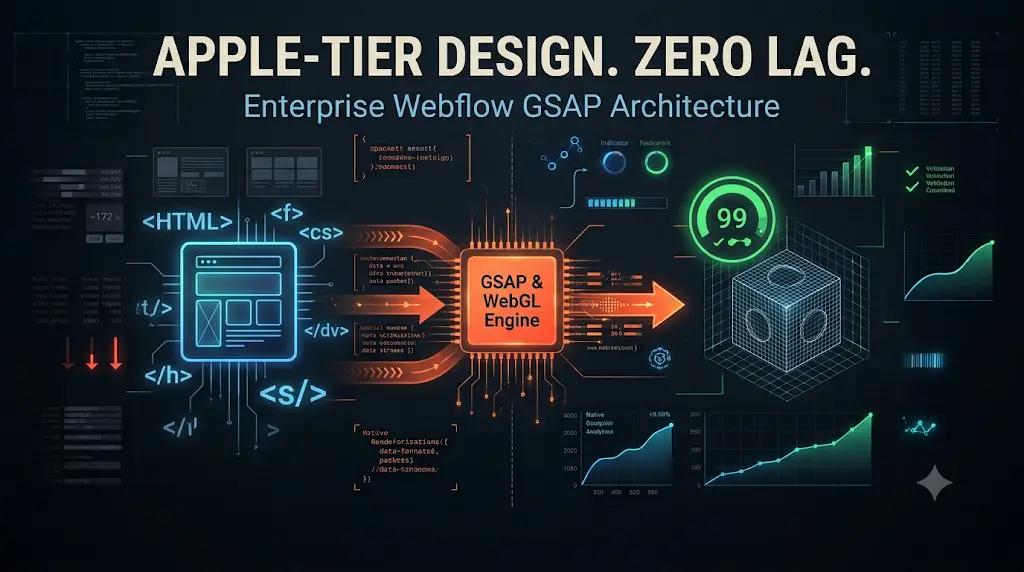
Here is the definitive, CTO-level engineering playbook on why native visual builders destroy Core Web Vitals, the physics of browser rendering, and how Datronix Tech utilizes enterprise Webflow GSAP animations, custom JavaScript, and WebGL to deliver immersive 3D experiences that consistently score 90+ on Google PageSpeed Insights.
It is a familiar narrative in the B2B SaaS and high-end tech space. A company just closed a massive Series B funding round. They want to rebrand. The Chief Marketing Officer (CMO) demands an “Apple-tier” website a digital experience filled with immersive 3D scrolljacking, products that assemble themselves as you scroll down the page, and buttery-smooth micro-interactions.
The company hires a premium digital design agency. The agency decides to build the site using Webflow, leveraging Webflow’s native Interactions 2.0 (IX2) engine.
A month later, the staging link is delivered. On the designer’s $4,000 MacBook Pro running on fiber-optic office Wi-Fi, the website looks like a masterpiece. The CMO signs off, and the site goes live.
Then, the marketing team turns on the $50,000/month Google Ads machine.
Within 72 hours, the data reveals a catastrophe. The website takes 8 seconds to load on a standard 5G mobile connection. The Time to First Byte (TTFB) is sluggish, and the Largest Contentful Paint (LCP) fails Google’s Core Web Vitals entirely. Because the page is so heavy, users are bouncing before the incredible animations even have a chance to render.
Worse, Google Ads penalizes the site with a “Below Average” Landing Page Experience rating, destroying the account’s Quality Score and instantly doubling the Cost Per Click (CPC).
The company is forced into a brutal ultimatum: Keep the beautiful design and bleed marketing cash, or strip away the animations and look like a boring, generic SaaS company.
If you are facing this dilemma, you have been misled by the “No-Code” myth. You do not have to choose between award-winning design and elite technical performance. But to achieve both, you must stop treating Webflow like a consumer toy and start treating it as an enterprise frontend framework.
01The Bleeding Neck: The Performance Penalty of “No-Code” Animations
To fix a sluggish, heavily animated website, we must first deeply understand the pathology of its failure. Why does an “Apple-style” website built natively in Webflow crash mobile browsers?
It comes down to Document Object Model (DOM) bloat, unoptimized JavaScript execution, and the physics of browser rendering.
1. The DOM Bloat and “Hack” Engineering
Webflow is an incredible visual translation engine for HTML and CSS. However, when designers (who are not software engineers) try to build complex, conditional 3D animations natively, they are forced to use “hacks.”
To make a 3D laptop open and close as the user scrolls, a designer might upload 150 individual high-resolution PNG frames. They stack all 150 images on top of each other in the Webflow Designer, hide 149 of them, and use Webflow’s native scroll triggers to slowly show and hide the images one by one.
This is a structural nightmare. You have just forced the browser to download 150 separate HTTP requests, loading 80 Megabytes of images into the device’s RAM on the initial page load. The DOM size explodes. The browser’s Main Thread chokes while trying to calculate the layout of 150 hidden elements. The site freezes.
2. The Main Thread and Layout Thrashing
Web browsers operate on a single “Main Thread.” This thread is responsible for parsing HTML, executing JavaScript, calculating CSS layouts, and physically painting pixels on the screen.
When you use native Webflow interactions for complex, continuous scroll animations (e.g., moving a box 500 pixels to the right as you scroll), the browser has to recalculate the geometry of the page (Layout) and repaint the pixels (Paint) for every single frame of the animation.
If this calculation takes longer than 16 milliseconds per frame, the animation stutters (known as “jank”). If the native JavaScript engine is poorly optimized, it triggers a phenomenon called Layout Thrashing where the browser is constantly forced to recalculate the positions of elements synchronously, locking up the Main Thread and preventing the user from scrolling or clicking.
3. The Core Web Vitals Devastation
Because the browser is so overwhelmed with parsing hundreds of hidden interaction nodes and heavy image payloads, it delays the Largest Contentful Paint (LCP) and increases the First Input Delay (FID) or Interaction to Next Paint (INP).
Google’s search algorithm and Google Ads bots detect this immediately. If your LCP is over 2.5 seconds, you fail the Core Web Vitals assessment. Your organic SEO rankings plummet, and your paid ad costs skyrocket. (We previously explored how critical these metrics are in our deep dive on landing page conversion architectures).
02The Tourniquet: Decoupling Design from Logic
To build a high-end, 60-frames-per-second (fps) animated experience that loads in under 1.5 seconds, you must implement a strict architectural division.
You must use Webflow strictly for what it is best at: semantic HTML layouts and CSS styling. You must strip out all complex native Webflow Interactions (IX2) and hand the animation logic over to a dedicated, enterprise-grade JavaScript animation engine.
At Datronix Tech, our standard for enterprise Webflow GSAP animations relies on GreenSock (GSAP), lightweight Lottie files, and HTML5 Canvas/WebGL rendering.
Here is the exact technical blueprint of how we architect these award-winning experiences without sacrificing speed.
03Pillar 1: Integrating GSAP (GreenSock Animation Platform)
GreenSock Animation Platform (GSAP) is the industry standard for high-performance JavaScript animation. It powers the majority of award-winning websites on Awwwards and FWA.
Why is GSAP superior to native Webflow interactions?
requestAnimationFrameMastery: GSAP is obsessively optimized under the hood. It perfectly synchronizes with the browser’s native screen refresh rate usingrequestAnimationFrame, ensuring that property updates only happen when the browser is actually ready to paint the next frame.- Compositor-Only Animations: We specifically engineer our GSAP code to only animate CSS properties that do not trigger Layout or Paint operations specifically
transform(translate, scale, rotate) andopacity. The browser offloads these specific calculations to the device’s GPU (Graphics Processing Unit). This completely frees up the Main CPU Thread, resulting in buttery-smooth 120fps animations even on older Android devices. - ScrollTrigger: GSAP’s ScrollTrigger plugin is a masterclass in performance. Instead of constantly listening to the heavy “scroll” event listener (which causes massive lag), it pre-calculates intersection points.
The Implementation: We do not write GSAP in Webflow’s clunky custom code editor. We build the JavaScript logic locally in a modular Node.js environment, compile it, minify it, and serve it via a high-speed CDN (like jsDelivr) directly into the Webflow project. This ensures version control, modularity, and lightning-fast script execution.
04Pillar 2: The “Apple-Style” Scroll (HTML5 Canvas & WebGL)
How do you recreate the iconic Apple website experience where a 3D object (like AirPods or a Mac Pro) rotates smoothly as the user scrolls down the page without tanking the load time?
You do not use heavy MP4 videos, and you do not stack 150 PNGs in Webflow.
You engineer a Canvas Image Sequence Scrub.
- The Asset Pipeline: Our 3D artists render the animation sequence as a highly optimized, compressed WebP or AVIF image sequence (e.g., 100 frames, each under 40kb).
- The
<canvas>Element: We inject a single HTML5<canvas>element into Webflow via an HTML embed. - GSAP Logic: We write custom GSAP code that loads the first frame of the sequence immediately so the Largest Contentful Paint (LCP) is near-instant. We then use JavaScript to dynamically load the remaining frames in the background only after the page has finished loading.
- The Scrub: Using GSAP ScrollTrigger, we map the scroll position of the user’s mouse directly to the frame array. As the user scrolls 10 pixels down, the canvas clears and redraws frame 2. Because drawing to a canvas is hardware-accelerated, the visual is a flawless, 60fps 3D rotation that adds virtually zero weight to the initial page load.
05Pillar 3: Lightweight Lottie and Intersection Observers
For vector-based animations (like complex iconography, drawing lines, or abstract morphing shapes), we utilize Lottie files.
Lottie is an open-source animation tool that exports Adobe After Effects animations as pure JSON data. Instead of loading a 5MB GIF file, you load a 40KB text file.
However, loading 20 Lottie files on page load will still freeze the browser as the JavaScript engine struggles to parse all that JSON simultaneously.
To maintain perfect Core Web Vitals, our enterprise Webflow GSAP animations architecture employs strict Intersection Observers.
We write custom JavaScript that tells the browser: “Do not load or play this Lottie file until it is exactly 100 pixels away from entering the user’s viewport.”
By lazily evaluating animations and prioritizing “Above the Fold” content, we trick the browser into rendering the top of the page instantly. The user perceives the site as blazing fast, while the heavy lifting happens invisibly just ahead of their scroll path. (We utilize similar lazy-loading logic when solving Flutter state management memory leaks).
06Pillar 4: Ruthless Asset & Script Orchestration
Even with the world’s best GSAP architecture, your site will fail Google PageSpeed tests if your marketing tags and assets are unmanaged. A high-end animation site requires enterprise SiteOps governance.
- Critical CSS Extraction: We ensure Webflow’s CSS is optimized, removing unused classes to ensure the critical rendering path is clear.
- Script Deferral (The Marketing Tax): B2B SaaS sites are loaded with marketing scripts: HubSpot tracking, LinkedIn Insights, Google Tag Manager, Intercom, and Meta Pixels. If these execute synchronously, the animation engine stutters. We strictly
deferorasyncevery third-party script. We ensure that GSAP and the LCP image are the absolute highest priority on the network waterfall. The chat widget can wait 3 seconds to load; the hero animation cannot.
(For the ultimate performance optimization, we often move these marketing scripts entirely off the client-side browser and route them through a Server-Side Tracking Architecture, completely freeing the browser to focus solely on the GSAP animations).
07The Financial ROI of Elite Engineering
Why pay for an engineering team to write custom JavaScript when you could just hire a cheaper Webflow designer to “hack” the interactions visually?
Because the financial difference between an 8-second site and a 1.5-second site is measured in millions of dollars in Annual Recurring Revenue (ARR).
- Google Ads Multiplier: If your website is heavy and slow, your Google Ads Quality Score drops to 3/10. You pay $30 per click. By deploying an optimized GSAP architecture, your Landing Page Experience rises to “Above Average.” Your Quality Score hits 9/10. Your CPC drops to $15. You just doubled your ad volume for the exact same budget.
- Conversion Rate Velocity: A study by Deloitte found that a 0.1-second improvement in site speed increases conversions in retail and travel by 8% to 10%. When a high-ticket B2B buyer lands on a site that features immersive, 3D animations that load instantly, it signals absolute authority, stability, and premium market positioning. Trust drives enterprise conversions.
- SEO Dominance: A site that passes Core Web Vitals with flying colors receives an algorithmic boost in Google Search. You capture high-intent organic traffic that your competitors are losing due to their bloated, unoptimized page builders.
08Conclusion: Do Not Compromise on Excellence
You do not have to choose between a beautiful, award-winning digital experience and elite technical performance.
When you rely purely on native visual “no-code” tools to execute complex 3D logic, you build a digital house of cards. The site will buckle under its own weight, destroying your marketing ROI and frustrating your users.
By elevating Webflow to an enterprise frontend framework separating the CSS layout from the logic and utilizing custom enterprise Webflow GSAP animations, HTML5 Canvas, and rigorous asset orchestration you can achieve the impossible. You can deliver the coveted “Apple-tier” experience while maintaining the blazing-fast load times required to dominate search rankings and paid ad auctions in 2026.
It is time to stop hacking your animations and start engineering them.
(Note: When scoping custom GSAP integrations, WebGL development, and enterprise Webflow optimizations, all Datronix Tech B2B service proposals natively include the requisite 18% GST charge, ensuring complete financial transparency from the initial audit to final deployment).
Are your website animations destroying your load speed and Google Ads budget? 👉 Book a High-Performance Animation Scoping Session. Stop bleeding ad spend on a slow website. Let our senior creative developers audit your current Webflow architecture, map out the DOM bloat, and provide a strict engineering roadmap to integrate GSAP and Lottie for flawless, 60fps performance.
Schedule your strategic technical review today and build an experience that converts.