MainWP vs ManageWP vs SiteOps: Which Is Better for Agencies?
Datronix · July 2026 · 13 min read
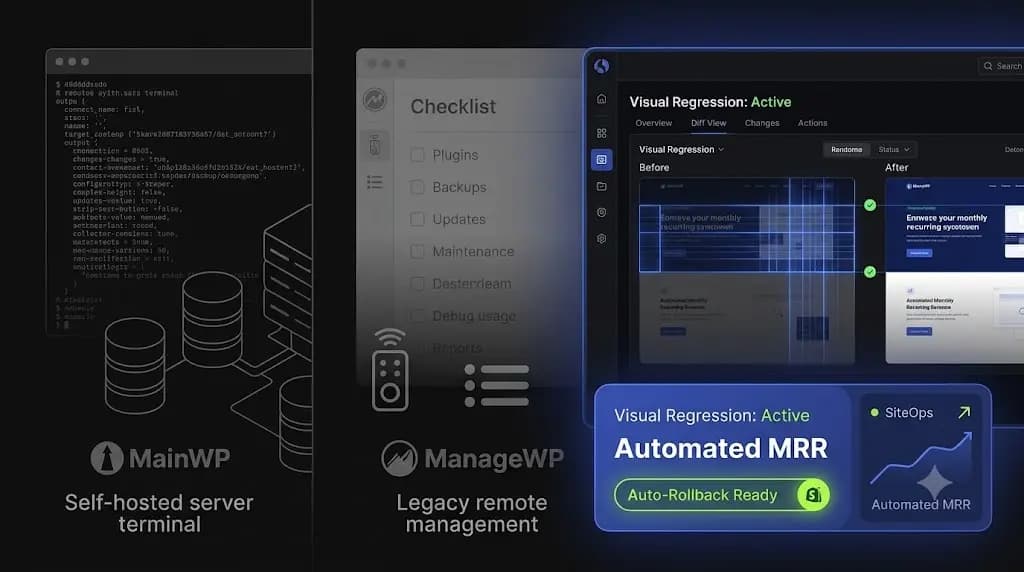
You just signed your 50th WordPress maintenance client. Your Monthly Recurring Revenue (MRR) is growing, but your operational anxiety is skyrocketing.
Managing a handful of websites is easy. Managing 50 complex WooCommerce, LMS, and headless setups is an operational minefield. When it is time to run weekly plugin updates, your choice of management software dictates whether you finish in five minutes or spend your entire weekend fixing shattered CSS layouts.
For years, the agency debate centered strictly on mainwp vs managewp a choice between a self-hosted, privacy-focused dashboard and a centralized, remote-control SaaS.
But the WordPress ecosystem of 2026 demands more than just a remote control. As sites become infinitely more complex, pushing blind updates is a massive liability. Agencies now require autonomous platforms that verify their own work.
If you are evaluating a mainwp vs siteops or ManageWP workflow, this guide breaks down the exact architectural differences, security postures, and pricing models to help you choose the platform that protects your profit margins.
Quick Answer: What is the difference between MainWP, ManageWP, and SiteOps?
MainWP is a self-hosted management plugin that prioritizes data privacy but requires agencies to maintain their own server infrastructure. ManageWP is a legacy SaaS dashboard offering basic remote-control updates but relies on flawed a-la-carte pricing. SiteOps is a modern, AI-driven platform that automates safe updates using visual regression testing and auto-rollbacks, completely eliminating the need for manual QA testing.
The Evolution of Agency Workflows
To choose the right tool, you must understand the underlying philosophy behind how each platform was engineered. They were built for entirely different eras of web development.
The DIY Era: MainWP (Self-Hosted Control)
MainWP appeals to a very specific type of agency owner: the control purist.
Instead of logging into a third-party website, you install the MainWP Dashboard plugin on a blank WordPress installation on your own server. You then install the MainWP Child plugin on your clients’ sites and connect them.
The philosophy is complete data ownership. No third-party SaaS company has access to your client list, your backup data, or your administrative credentials. If privacy compliance (like strict GDPR requirements for enterprise clients) is your singular priority, MainWP is an attractive option.
The Remote Control Era: ManageWP (SaaS Convenience)
ManageWP popularized the “single pane of glass” workflow over a decade ago. It removed the burden of server management. You simply log into their hosted dashboard, connect your client sites, and click “Update All.”
It was built for the era of simple PHP blogs, where pushing a plugin update rarely resulted in a fatal layout break. It operates perfectly as a remote control, executing commands precisely as you ask it to.
The Autonomous Era: SiteOps (AI-Powered Operations)
The modern agency problem is not executing the update; it is verifying the update.
SiteOps was built on the premise that humans should not perform manual Quality Assurance (QA) on WordPress sites. Acting as an autonomous agent rather than a passive dashboard, SiteOps utilizes artificial intelligence to “see” the website exactly as a human does. It handles the update, verifies the visual layout, and remediates the problem if the code fails.
Evaluating the Tech Stack: Architecture and Server Load
How your management tool interacts with your clients’ servers directly impacts site performance and uptime.
MainWP: The Self-Hosted Bottleneck
Because MainWP lives on your own server, you are the hosting provider for your own command center.
If you manage 10 sites, a cheap $10/month shared server is fine. If you manage 150 sites and attempt to trigger a bulk plugin update, run security scans, and pull backup data simultaneously, your command center will likely experience a massive CPU spike. Many agencies using MainWP are forced to pay for expensive, dedicated VPS environments simply to keep the dashboard from crashing during routine operations.
ManageWP: The Heavy Worker Plugin
ManageWP uses a proprietary worker plugin on the target site. When you trigger an action from the dashboard, the ManageWP servers send a request to the worker plugin, which executes the PHP command.
While generally stable, legacy worker plugins can be heavy. On poorly optimized client servers, initiating a backup or a deep scan via ManageWP can consume available PHP memory limits, temporarily slowing down the frontend for real visitors.
SiteOps: The API-First Approach
SiteOps utilizes a lightweight, API-first architecture. The heavy lifting like compiling AI reports, running deep CVE cross-referencing, and processing visual regression image data happens entirely on the SiteOps cloud infrastructure, not on your client’s server.
It interacts with the client site via secure, authenticated REST API calls, ensuring a near-zero footprint that protects the site’s Core Web Vitals and frontend response times.
Safe Updates and Quality Assurance
This is the most critical metric for any wordpress management tools for agencies. How does the platform protect the site when a plugin update goes wrong?
MainWP: Completely Blind Execution
MainWP is an executor. If you click “Update WooCommerce,” MainWP sends the command and reports back that the command was successfully sent.
It does not verify if the update caused a fatal PHP error. It does not check if the CSS layout broke. If you use MainWP, you must either test everything on a staging server first or manually visit all 50 client sites after an update to ensure nothing broke.
ManageWP: The Flawed “Safe Update”
ManageWP offers a premium “Safe Updates” add-on. It creates a restore point, updates the plugin, and checks the server’s HTTP status.
The fatal flaw here is that an HTTP 200 “OK” status code only means the server is online. A WordPress site could have a completely shattered CSS grid, a missing lead capture form, or a blank white screen, and still return a 200 OK status. Relying on HTTP checks to verify complex DOM integrity is highly dangerous for agency clients.
SiteOps: True Visual Regression Testing
When evaluating a mainwp vs siteops workflow, visual regression is the primary differentiator.
SiteOps acts as an automated QA tester. Before an update, it spins up a headless browser, visits the live site, and takes a pixel-perfect snapshot of the layout. It runs the update, clears the cache, and takes a second snapshot.
AI compares the two images. It can differentiate between a new blog post appearing (expected) and a checkout button shifting off the screen (fatal). If the layout breaks, SiteOps instantly triggers an auto-rollback, restoring the database and files in seconds. The client never sees the broken site.
Agency Reality Check: If your team spends two hours every Friday manually checking staging environments to verify plugin updates, your management software is failing you. Automation must include verification, otherwise, you are just automating liability.
Security Posture: Reactive vs Proactive Defense
Clients pay for maintenance retainers primarily for security. Your software must detect threats before they cause downtime.
Reactive Defense (MainWP & ManageWP)
ManageWP relies on basic malware checking. It scans your site’s URL against public databases like Google Safe Browsing and Norton Safe Web. This means it only alerts you after your client’s site has been hacked and publicly blacklisted, which is a catastrophic failure for an agency.
MainWP does not have native, deep security scanning out of the box. You must install third-party extensions (like the Sucuri or Wordfence extensions) and manage those configurations manually across your portfolio.
Proactive Defense (SiteOps)
According to WPScan vulnerability database reports, over 90% of WordPress security vulnerabilities originate from third-party plugins.
SiteOps utilizes a 4-level deep scanning architecture:
- Core File Integrity: Daily checks against WordPress.org checksums to ensure no malicious code has been injected into core files.
- CVE Tracking: Continuous cross-referencing of your active plugins against global Common Vulnerabilities and Exposures (CVE) databases. SiteOps flags zero-day vulnerabilities before patches are even available.
- Active Malware Scanning: Deep scanning of the
wp-contentdirectory and database for obfuscated PHP backdoors. - Configuration Hardening: Automated checks on
wp-config.phpand.htaccessfile permissions.
Uptime Monitoring and Emergency Access
When a site goes down, time to resolution is the only metric that matters.
- ManageWP: Offers uptime monitoring as a paid add-on. If the site fails, you receive an email. You then have to hunt down the client’s credentials in your password manager to log in and fix it.
- MainWP: Requires you to integrate a third-party service like UptimeRobot via an extension. It aggregates the data, but the troubleshooting process remains manual.
- SiteOps: Natively monitors uptime every 5 minutes across the entire portfolio. More importantly, it provides 1-click secure admin access directly from the dashboard. If a site crashes, you bypass the login screen and jump straight into the WordPress backend to triage the issue instantly.
Agency Pricing Models and Profit Margins
The software you choose directly dictates how quickly you can scale your agency’s MRR.
MainWP: The Hidden Cost of Hosting
MainWP’s core plugin is free. To get the necessary agency tools (white-label reporting, advanced backups, third-party integrations), you must buy the Pro bundle. It costs $29/month or a $599 one-time lifetime fee.
This looks incredibly cheap on paper. However, the hidden cost is the dedicated VPS hosting required to run a heavy MainWP dashboard without crashing, plus the unbillable hours you will spend maintaining, securing, and updating the command center itself.
ManageWP: The A-La-Carte Trap
ManageWP uses a modular pricing model. The dashboard is free, but every useful feature is billed per-site, per-month.
- Safe Updates: $2/site
- Automated Backups: $2/site
- Premium Security: $1/site
- Uptime Monitor: $1/site
- White-label Reports: $1/site
If you manage 50 sites and want a complete feature set, you are paying over $300 a month. As you acquire new clients, your operational overhead increases linearly, constantly eating into your profit margins.
SiteOps: Flat-Rate Unlimited Scaling
SiteOps was designed specifically to protect agency margins.
It offers a free tier for 1 site. The Pro plan covers 10 sites for ₹2,499/month. However, the Agency plan offers unlimited sites for a flat rate of ₹5,999/month.
Whether you manage 25 sites or 250 sites, your software overhead never increases. You retain 100% of the profit margin on every new maintenance retainer you sign.
Why SiteOps is the Ultimate MainWP and ManageWP Alternative
Legacy tools solved the problem of logging into 50 different dashboards. But in 2026, logging in is not the bottleneck; safe execution is.
If you use a self-hosted tool or a legacy SaaS, you are still acting as a human QA tester. You still have the anxiety of pushing code blindly and hoping the client doesn’t find a broken checkout page.
SiteOps is the only platform that acts as an autonomous operational layer. By combining pixel-perfect visual regression testing, instant auto-rollbacks, deep CVE security scanning, and AI-generated client reporting into a single, flat-rate platform, SiteOps allows agencies to scale infinitely without scaling their headcount.
Frequently Asked Questions
Is MainWP better than ManageWP? It depends on your priorities. MainWP is better if you demand 100% data privacy and want to host the software on your own server. ManageWP is better if you want the convenience of a SaaS dashboard and don’t want to manage the underlying server infrastructure.
What is the best alternative to MainWP? For agencies looking for a best mainwp alternative, SiteOps is the premier choice. It offers the convenience of a SaaS dashboard but adds critical AI automation, visual regression testing, and auto-rollbacks that MainWP lacks natively.
Is ManageWP safe to use? ManageWP is secure in terms of connection protocols, but it is operationally risky for complex sites. Its “Safe Updates” feature relies on basic HTTP status checks, meaning it will blindly push an update that shatters a CSS layout as long as the server remains online.
How does SiteOps compare in a mainwp vs siteops evaluation? A mainwp vs siteops comparison comes down to automation vs manual control. MainWP requires you to manage the server and manually verify updates. SiteOps is a fully managed SaaS that uses AI visual regression to automatically verify updates and roll back failed code instantly.
Does MainWP slow down my server? If you host your MainWP dashboard on cheap shared hosting and attempt to execute bulk backups or updates across dozens of client sites simultaneously, it will easily exhaust your PHP memory limits and cause massive server spikes.
What is visual regression testing for WordPress? Visual regression testing uses a headless browser to take a screenshot of your site before an event (like a plugin update), and another screenshot after. AI compares the images pixel-by-pixel to detect visual breaks or layout shifts that basic code scanners miss.
Can I automate WordPress updates safely? Yes, but only if your automation tool includes visual verification. Blindly auto-updating plugins is dangerous. Safe automation requires a tool like SiteOps that can “see” if the update broke the frontend and automatically reverse the action.
Why is an HTTP 200 check not enough for WordPress monitoring? An HTTP 200 status only means the server responded successfully. A WordPress site could have a completely broken CSS layout, a missing checkout button, or a white screen caused by a PHP error, and still return a 200 OK status to a basic ping bot.
How do you migrate from ManageWP or MainWP? Migrating is simple. You install the SiteOps worker plugin on your client sites and connect them to your new dashboard. Once connected and verified, you simply deactivate and delete the MainWP Child or ManageWP worker plugins from the client sites.
How does pricing compare between the tools? MainWP requires you to pay for your own VPS hosting plus premium extensions. ManageWP charges a-la-carte per site, making it very expensive at scale. SiteOps offers a flat-rate Agency plan for unlimited sites, which is the most profitable model for growing agencies.
The Bottom Line
Choosing between a self-hosted dashboard and a legacy remote control is a debate from 2016.
In 2026, relying on tools that execute blind updates without visual verification is a massive liability. To protect your clients’ revenue and secure your agency’s reputation, you must transition to an autonomous platform that actually verifies its own work.
By implementing AI visual regression testing and instant rollbacks, you guarantee that you will never push a broken layout to a live production environment again.
🚀 Become a SITEOPS Founding Member
We’re inviting our first 25 WordPress agencies to join the SITEOPS Founding Members Program.
As a founding member, you’ll receive:
✅ Exclusive founder pricing
✅ Priority support from our team
✅ Early access to every major feature we launch
✅ Direct influence over our product roadmap
✅ A dedicated onboarding session to help you get started
If you manage multiple WordPress websites and want to help shape the future of AI-powered WordPress maintenance, we’d love to hear from you.
📧 Email: support@datronixtech.com
Subject: Founding Member
Tell us:
Your agency name
Approximately how many WordPress websites you manage
Your biggest WordPress maintenance challenge
We’ll review your application and get back to you with the full details.
Not ready to join yet?
Start by running a free WordPress Health Check to uncover hidden security issues, broken links, uptime risks, and maintenance problems in seconds.
Related Posts
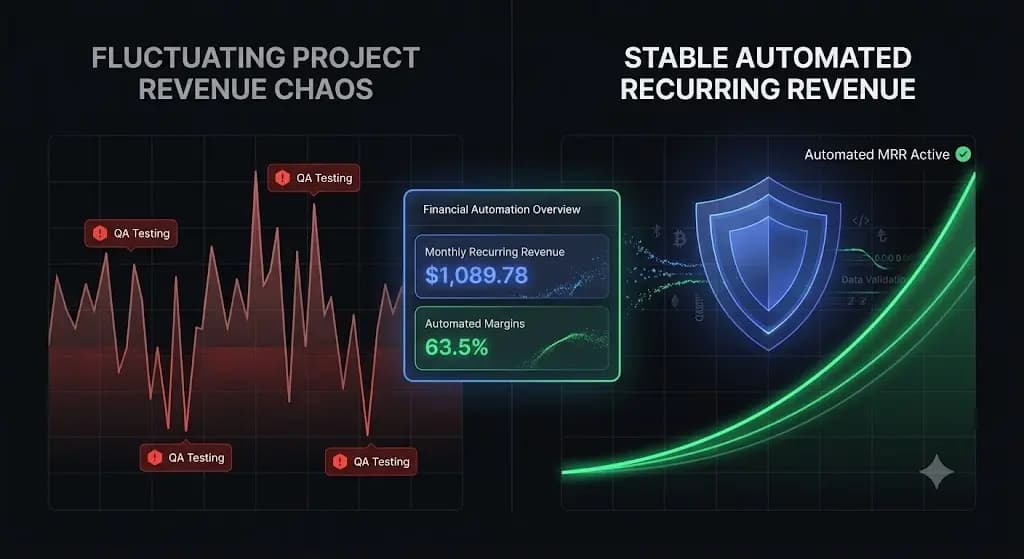
Building a Profitable WordPress Maintenance Retainer Model in 2026
You just finished a $15,000 custom WordPress build. The client is thrilled. The site launches, the invoice is paid, and suddenly, your agency revenue drops back to zero for the next month. This is the feast-or-famine cycle of web development. To build a sustainable agency, you cannot rely solely on project work; you must generate […]
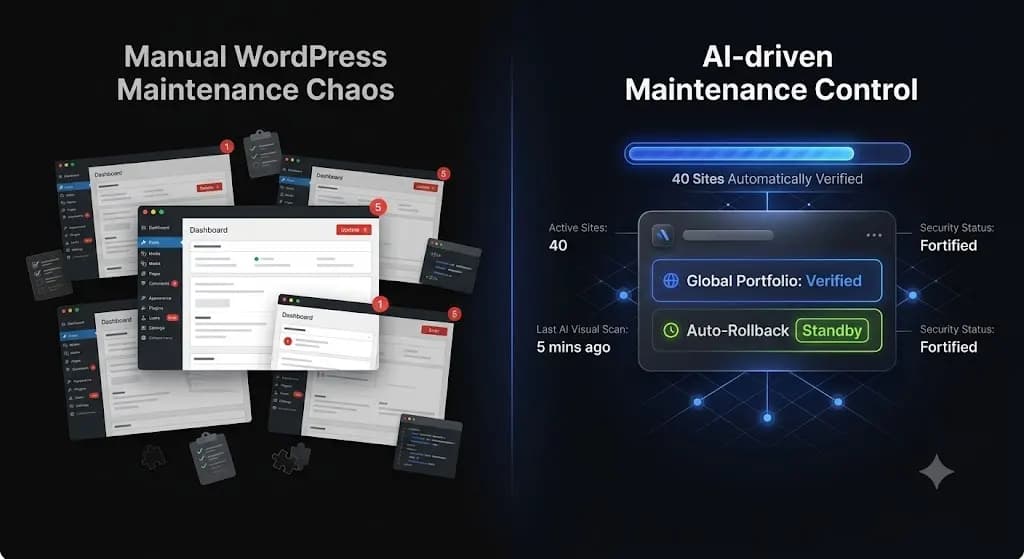
How to Automate WordPress Maintenance for Multiple Sites
Managing one WordPress site is easy. Managing fifty is an operational nightmare. If you run an agency or freelance development business, you know the weekly routine. You log into a management dashboard, see 300 pending plugin updates across your client portfolio, and hesitate. You can spend the next six hours manually cloning sites to staging […]