How Often Should You Update WordPress Plugins? (The 2026 Agency Standard)
Datronix · July 2026 · 10 min read
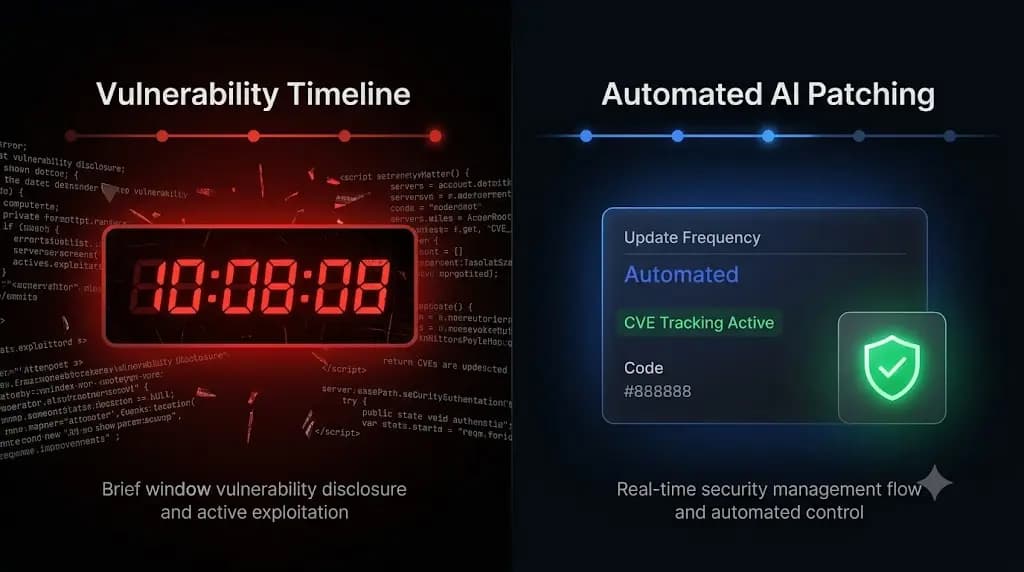
For years, the standard advice given to website owners was simple: log in once a month and click “Update All.”
In 2026, that advice is not just outdated; it is actively dangerous.
The WordPress ecosystem is the foundation of the modern web, powering highly complex e-commerce stores, membership portals, and headless applications. With this complexity comes increased scrutiny from malicious actors. According to recent threat intelligence reports, over 90% of all WordPress security breaches originate from outdated third-party plugins.
If you manage a portfolio of client websites, you are the final line of defense. But if you update plugins too slowly, your clients get hacked. If you update them too quickly without testing, you risk breaking their frontend layouts.
So, how often should you update wordpress plugins to balance security with stability?
This guide breaks down the modern agency standard for maintenance frequency. We will explore the critical five-hour vulnerability window, differentiate between feature updates and security patches, and reveal how top-tier agencies use AI visual regression testing to automate their entire update schedule safely.
Quick Answer: How often should you update WordPress plugins?
You should update WordPress plugins weekly for standard feature releases and bug fixes. However, critical security updates (patches for known CVE vulnerabilities) must be applied immediately, ideally within 24 hours of release. Because updating plugins frequently increases the risk of breaking a website’s layout, modern agencies use automated maintenance platforms that utilize AI visual regression testing to verify the update and instantly roll back the site if a layout break occurs.
The Death of the “Monthly Update”
The concept of a monthly maintenance day is obsolete. The speed at which hackers weaponize vulnerabilities has drastically accelerated.
The 5-Hour Exploitation Window
When a security researcher discovers a flaw in a popular WordPress plugin, they responsibly disclose it to the developer. The developer issues a patch (an update). Once that patch is public, the specific details of the vulnerability are often published in a CVE (Common Vulnerabilities and Exposures) database.
In 2026, the median time from public disclosure to the first mass automated exploitation attempt is roughly five hours. Hackers write automated scripts that scan millions of WordPress sites, looking for the specific outdated version of that plugin.
If you are waiting until the 1st of the month to run your updates, and a critical vulnerability drops on the 10th, your client’s site is exposed for 20 days. That is unacceptable risk management.
The 2026 Agency Update Schedule
To manage multiple WordPress sites safely, you must abandon the calendar-based approach and adopt a trigger-based workflow.
1. Continuous Monitoring (Real-Time)
You cannot manually check for updates fast enough to beat automated botnets. Your agency must utilize proactive WordPress security monitoring.
You must deploy a tool that actively cross-references your entire portfolio’s active plugin list against live CVE databases. If a zero-day vulnerability is announced for a plugin your client is running, you need to know about it before the patch is even available, allowing you to implement temporary firewall rules.
2. Security Patches (Immediate / 24 Hours)
When a plugin update specifically mentions a security fix or a CVE patch in its changelog, it bypasses the standard queue.
- The Rule: Security patches must be applied within 24 hours.
- The Risk: Applying them quickly increases the risk of a code conflict. You must either test them rapidly on a staging environment or use an automated visual regression tool with auto-rollback capabilities to ensure the patch does not take the site offline.
3. Feature and Bug Fix Updates (Weekly)
Standard updates that introduce new functionality, improve performance, or fix minor bugs do not require emergency deployment.
- The Rule: Batch these routine updates and execute them once a week.
- The Benefit: Weekly batching keeps the codebase fresh, ensures compatibility with the latest PHP and WordPress core versions, and prevents a massive backlog of updates that becomes too complex to troubleshoot if something breaks.
The Danger of Blind Automation (Native Auto-Updates)
If the goal is to apply updates as fast as possible, why not just turn on native WordPress auto-updates for everything?
Because native auto-updates are entirely blind.
When WordPress auto-updates a plugin, it pushes the code and assumes success. It does not check if the new CSS class conflicts with your theme. It does not verify if your WooCommerce checkout button disappeared. It does not check if a Javascript error is preventing lead forms from submitting.
Automating the execution of an update without automating the verification is simply deploying risk faster. The hidden cost of broken WordPress updates is massive. If a site breaks automatically at 3:00 AM and you do not notice until a client complains the next afternoon, your agency’s reputation is severely damaged.
The Manual Staging Bottleneck
If blind auto-updates are dangerous, the traditional alternative is manual Quality Assurance (QA).
To guarantee safe WordPress updates, agencies historically cloned client sites to staging environments. They ran the weekly updates on staging, manually clicked through the homepage and checkout flows to verify the layout, and then pushed the verified code to production.
If you manage 5 websites, this takes an hour. If you manage multiple WordPress sites (for example, 50 client retainers), manually QA testing staging environments every single week is a mathematical impossibility. It drains your billable hours and destroys your profit margins.
The Solution: AI Visual Regression Testing
To meet the frequency demands of 2026 without sacrificing stability or profitability, top-tier agencies have shifted to AI-driven automation.
Instead of relying on basic HTTP server checks or unbillable manual labor, they use WordPress maintenance tools equipped with Visual Regression Testing.
How Automated Visual Verification Works
- The Baseline Snapshot: Before a weekly scheduled update runs, the system spins up a headless browser. It visits the live site and takes a pixel-perfect screenshot and Document Object Model (DOM) snapshot.
- The Execution: The platform autonomously updates the plugins and flushes the server caching layers.
- The Comparison: The headless browser returns and takes a second snapshot. Artificial Intelligence overlays the images, analyzing them down to the exact pixel.
The Auto-Rollback Safety Net
If the AI detects that the update caused a layout shift, hid a button, or shattered a CSS grid, it does not just send an alert. It triggers an instant, autonomous auto-rollback.
The MySQL database and file system are restored to their exact stable pre-update state in seconds. The client never experiences downtime, their customers can still process orders, and your agency team wakes up to a detailed log of exactly which plugin failed the visual QA test.
Escaping the Update Anxiety with SiteOps
When you build a business on WordPress maintenance retainers, the frequency of your updates dictates your security posture, but the method of your updates dictates your profit margin.
If you rely on legacy bulk-updaters (like an outdated ManageWP alternative or a self-hosted MainWP alternative), you are forced to choose between the liability of blind updates and the unbillable labor of manual QA testing.
SiteOps replaces this anxiety with absolute AI verification.
When you connect your portfolio to SiteOps, you deploy an autonomous agent. The platform handles the operational heavy lifting:
- Weekly Safe Updates: It executes routine updates using pixel-perfect visual regression testing and instant auto-rollbacks.
- Proactive Security: It actively tracks CVE vulnerability databases, ensuring you know exactly when a zero-day patch drops.
- Continuous Uptime: It pairs this safety with native WordPress uptime monitoring running every 5 minutes.
Stop letting manual maintenance tasks bottleneck your agency growth. You can scale your recurring revenue infinitely when your software handles the verification work for you.
Automate your entire update schedule securely today. SiteOps is free for 1 site, no credit card required.
Frequently Asked Questions
How often should you update WordPress plugins? You should update plugins weekly for standard feature releases and bug fixes. However, critical security updates (patches for known CVE vulnerabilities) must be applied immediately, ideally within 24 hours, to prevent automated botnets from exploiting the flaw.
Is it safe to auto-update WordPress plugins? Native WordPress auto-updates are risky for complex or e-commerce sites because they execute blindly. They push the new code without verifying if it broke the frontend layout or CSS. Safe automation requires a third-party tool that performs visual verification before and after the update.
What happens if a plugin update breaks my site? If you update manually, you must quickly restore the site from a backup via FTP. If you use a modern automation platform like SiteOps, the system detects the visual break during the update and automatically restores the site to its pre-update state in seconds before the client notices.
Why shouldn’t I update WordPress plugins monthly? Hackers weaponize vulnerabilities incredibly fast. The median time from a vulnerability disclosure to the first exploitation attempt is roughly five hours. Waiting until a scheduled “monthly maintenance day” leaves your site exposed to automated attacks for weeks.
How do I safely update WooCommerce plugins? WooCommerce updates are incredibly fragile as they involve complex database schema migrations. You must either manually test them rigorously on a staging environment or use an advanced platform like SiteOps that visually verifies the checkout flow and initiates an auto-rollback if it fails.
What is visual regression testing in WordPress? Visual regression testing uses a headless browser to take a screenshot of your site before an update, and another screenshot immediately after. AI compares the images pixel by pixel to automatically detect visual breaks, missing elements, or layout shifts.
Do inactive WordPress plugins need to be updated? Yes. Even if a plugin is deactivated, its files remain on your server. Hackers can often exploit vulnerable PHP files directly even if the plugin is not currently running. You should either update inactive plugins immediately or delete them entirely.
How do agencies manage updates for multiple clients? Top-tier agencies no longer use manual staging tests for every update because they are unprofitable. They use automated white-label WordPress maintenance platforms like SiteOps that utilize AI visual regression testing to detect layout breaks and execute instant auto-rollbacks.
What are CVE vulnerabilities in WordPress? CVE stands for Common Vulnerabilities and Exposures. It is a standardized, public database of known security flaws. Modern maintenance platforms cross-reference your installed plugins against this database to alert you to known exploits before hackers can attack your site.
How do you prove the value of weekly updates to clients? Do not just send a raw PDF listing updated plugins. Use an automated reporting tool that pulls data directly from your management dashboard. Modern AI tools translate technical data into clear executive summaries that prove you are actively protecting their revenue stream from vulnerabilities.
The Bottom Line
The question is no longer how often you should update WordPress plugins, but how safely you can execute those updates.
In an era where vulnerabilities are weaponized in hours, waiting weeks to push a patch is operational negligence. Conversely, pushing patches blindly across dozens of client sites is a recipe for broken layouts and furious clients.
To scale your agency profitably, you must eliminate the manual QA testing bottleneck. By implementing automated visual regression testing and instant rollbacks, you guarantee that you can maintain a high-frequency update schedule without ever pushing a broken layout to a live production environment.
SiteOps automates the entire workflow. Test the visual regression engine today, free for 3 sites, no credit card required.
Related Posts

The Viral Crash: Implementing Kubernetes Auto-Scaling for E-Commerce Black Swans
If you run a direct-to-consumer e-commerce brand, a viral TikTok mention or a massive celebrity endorsement is your ultimate marketing dream. But without Kubernetes auto-scaling, that dream can instantly turn into an operational nightmare. Imagine the scenario: An influencer posts a video featuring your flagship product. Within minutes, your website traffic spikes by 10,000%. But […]

Custom WebRTC Integration: 5 Secrets for Telehealth
To take back your margins and own your user experience, you need a custom WebRTC integration. If you are running a scaling medical or therapy platform, your core product relies on secure video consultations. But behind the scenes, your profit margins are likely bleeding. Relying on generic third-party video providers like Zoom, or paying high […]