Stop Sending Google Ads Traffic to Your Homepage: The Tech Behind 20% Conversion Rate Landing Pages
Datronix · September 2026 · 10 min read

If you want to stop setting your marketing budget on fire, you must separate your organic website from your paid acquisition funnels. Here is the definitive, technical deep dive into why homepages destroy your Return on Ad Spend (ROAS), and the exact engineering blueprint we use at Datronix Tech to build custom environments that achieve a staggering 20%+ Google Ads landing page conversion rate.
It is 9:00 AM on a Monday. The CEO of a scaling B2B SaaS company (or perhaps a high-end personal injury law firm) is looking at their monthly marketing dashboard.
The Google Ads spend for the month was $25,000. The Cost Per Click (CPC) for their top “money” keywords hovered around $15 to $40 per click. The performance marketing agency sent an enthusiastic report celebrating a “record-high Click-Through Rate (CTR) of 4.5%!”
Thousands of people clicked the ads. But when the CEO looks at the CRM, there are only six qualified leads.
The CEO immediately blames the traffic. “The ad targeting must be wrong. The keywords are too broad. The agency is buying garbage clicks.”
While poor targeting is sometimes the culprit, 90% of the time, the ads are actually doing exactly what you paid them to do: getting a highly-intent user to click. The reason you are bleeding cash is that you are sending that expensive, high-intent traffic to a generic, distracting, slow-loading corporate homepage.
The Bleeding Neck: Why the Homepage Trap Destroys ROAS
To fix the leak, we must first understand why the homepage is fundamentally incompatible with paid search traffic.
When a user searches for a specific term on Google—for example, “Enterprise ERP migration services” or “Emergency commercial plumber in Chicago”—they are in a state of high intent. They have a specific problem, and they want an immediate, specific solution.
When they click your ad and land on your homepage, what happens?
1. The Paradox of Choice (The Navigation Bar)
Your homepage is designed to be a digital brochure for everyone: investors, potential hires, returning customers, and top-of-funnel browsers. It has a massive navigation bar with links to “About Us,” “Careers,” “Our History,” “Blog,” and a complex dropdown of 15 different services.
Every single link on that page is an exit door.
In conversion rate optimization (CRO), we talk about the “Attention Ratio.” This is the ratio of links on a page to the number of campaign conversion goals. A homepage often has an Attention Ratio of 40:1 (40 links, 1 primary goal). A high-converting landing page must have an Attention Ratio of 1:1. There is only one thing to do: fill out the form or leave.
2. The Search Intent Mismatch
The user searched for “Enterprise ERP migration.” Your homepage hero text says, “Empowering Global Businesses with Synergistic Cloud Solutions.”
The user experiences an immediate cognitive disconnect. Did they click the wrong link? Do you actually do ERP migrations? They don’t have the patience to scroll through three sections of your homepage to find out. They hit the “Back” button within three seconds, costing you $20 and signaling to Google that your page is irrelevant.
3. The Technical Bloat Penalty
As we detailed in our guide on escaping WordPress plugin hell, homepages are notoriously heavy. They are loaded with massive hero videos, 15 different tracking scripts, complex CSS animations, and heavy page-builder code.
If your homepage takes 6 seconds to load on a 5G mobile connection, 50% of your paid traffic will bounce before the page even renders. You literally paid for a click that never saw your logo.
The Financial Penalty: Google’s Quality Score Algorithm
Sending traffic to a slow, generic homepage doesn’t just lower your conversion rate; it actually increases the amount Google charges you per click.
Google Ads operates on an auction system, but it is not a pure financial auction. Your ad rank and your actual Cost Per Click (CPC) are determined by a formula: Max Bid × Quality Score.
Quality Score is a metric from 1 to 10 that Google assigns to your keyword. It is primarily based on three factors:
- Expected Click-Through Rate: How compelling your ad copy is.
- Ad Relevance: How well the ad matches the search term.
- Landing Page Experience: How relevant, fast, and user-friendly the destination page is.
If you send traffic to a slow homepage with high bounce rates and low keyword relevance, Google assigns you a Quality Score of 3/10. Your competitor, who built a hyper-relevant, lightning-fast landing page, gets a Quality Score of 9/10.
Because of this algorithm, your competitor can bid less money than you, but still rank higher on the page, paying a fraction of the cost per click. A low Google Ads landing page conversion rate is a compounding financial penalty.
The Tourniquet: Architecting a 20% Conversion Rate
To stop the bleeding, you must implement a strict architectural division.
Your main website (built perhaps with a Webflow/React split tech stack) is for organic SEO, brand validation, and content marketing.
Your Google Ads landing pages are isolated, highly engineered conversion machines built specifically for paid traffic. They do not exist in your main site navigation. They are indexed as noindex so they don’t compete with your organic SEO.
Here is the technical and psychological blueprint we use to build them.
Pillar 1: Dynamic Message Matching
The headline of your landing page must be an exact, 1:1 match with the search term the user typed into Google.
If you are running a campaign with 20 different ad groups, you do not need to build 20 different physical landing pages. We utilize URL Parameters and Dynamic Text Replacement (DTR).
Using JavaScript (or native features in custom Webflow/React builds), the page reads the URL parameters appended by Google Ads. If the URL is yoursite.com/landing?keyword=chicago-plumber, the H1 instantly dynamically renders as “Emergency Commercial Plumbers in Chicago.” If the parameter is keyword=illinois-pipe-repair, the headline changes accordingly.
This creates a seamless psychological transition from the search bar to the landing page, drastically dropping the bounce rate.
Pillar 2: The 1-Second Load Time (Technical Architecture)
A high Google Ads landing page conversion rate requires ruthless speed optimization. We do not build paid landing pages using heavy drag-and-drop WordPress builders.
We engineer these pages using lean HTML/CSS, static site generators, or heavily optimized Webflow architectures.
- Asset Optimization: All images are served in next-gen formats (.webp, .avif) and are perfectly sized for the viewport.
- Critical CSS: We extract and inline the Critical CSS required to render “above the fold” content, deferring all non-essential styling until after the First Contentful Paint (FCP).
- JavaScript Deferral: We rigorously defer third-party scripts. The user must be able to see the headline, the offer, and the Call to Action (CTA) before the Facebook Pixel or the live chat widget finishes loading in the background.
According to Google’s own mobile speed studies, as page load time goes from 1 second to 3 seconds, the probability of a bounce increases by 32%. Speed is not an IT metric; it is a direct multiplier of your ROAS.
Pillar 3: Multi-Step, Low-Friction React Forms
The biggest mistake on B2B and high-ticket service landing pages is the “10-Field Form of Death.”
If a user lands on a page and sees a massive form asking for their Name, Email, Phone, Company, Revenue, Title, and a 500-word description of their problem, they will immediately abandon the page. It is too much friction for a first touchpoint.
Instead of a static HTML form, we engineer Custom React Multi-Step Forms.
- Step 1 (Micro-Commitment): We ask a non-threatening, multiple-choice question. “What is your current monthly ad spend?” with clickable buttons.
- Step 2: “What is your biggest bottleneck?” (Clickable buttons).
- Step 3 (The Ask): Now that the user has invested clicks and momentum into the process (triggering the psychological principle of consistency), we ask for the Name and Email to send them the result or book the consultation.
By breaking a 10-field form into a fast, interactive, 3-step React component, we routinely see a 300% increase in form completion rates. (If you are curious about integrating custom React components into broader platforms, read our guide on custom web development services).
Advanced SiteOps: Server-Side Tracking and Closed-Loop Reporting
Building a fast, relevant page is only half the battle. High-budget C-Suite executives demand to know exactly which keywords are generating revenue, not just “leads.”
Because of iOS 14, aggressive ad blockers, and the death of third-party cookies, traditional browser-based tracking pixels (firing via a standard Google Tag Manager setup) are losing up to 30% of conversion data. Your Google Ads dashboard is flying blind.
To achieve an enterprise-level Google Ads landing page conversion rate, we implement Server-Side Tracking Architecture.
1. Server-Side Google Tag Manager (sGTM)
Instead of the user’s browser sending data directly to Google and Facebook (which is easily blocked by Safari’s Intelligent Tracking Prevention), the landing page sends a secure, first-party data stream to a cloud server that you own (typically hosted on Google Cloud). Your server then processes the data and sends it securely to the advertising platforms via their Conversions APIs (CAPI).
This bypasses ad blockers, ensures near 100% data accuracy, and feeds Google’s machine learning algorithms the high-quality data they need to optimize your bidding strategy.
2. Closed-Loop CRM Integration (GCLID Tracking)
Not all leads are created equal. A $15 click might generate a lead, but if that lead is a broke startup, it doesn’t help your bottom line. You want Google to optimize for closed revenue, not just form fills.
We engineer a hidden field into your React multi-step form that captures the GCLID (Google Click Identifier)—a unique string of code attached to every Google Ads click.
When the user submits the form, that GCLID is passed directly into your CRM (Salesforce, HubSpot, etc.). When your sales team closes that deal 30 days later, your CRM fires a webhook back to the Google Ads API, attaching the exact dollar amount of the closed deal to the original click [2].
Your Google Ads algorithm stops optimizing for “cheap leads” and starts optimizing for “high-value enterprise contracts.” This is the ultimate competitive advantage in paid search.
Industry Applications: Who Needs This Architecture?
- B2B SaaS: Stop sending traffic to your generic software homepage. Create isolated landing pages for “Competitor X Alternative” or “Specific Feature Solution.” Use dynamic text to match the exact feature they searched for.
- Legal (Personal Injury / Family Law): Legal clicks often cost $50 to $150 each. A slow homepage is catastrophic. You need a 1-second load time and a highly empathetic, instantly visible phone number (click-to-call) above the fold, alongside a multi-step form that qualifies the case type.
- Home Services (HVAC / Plumbing): Emergency searchers have zero patience. If their basement is flooding, the page must load instantly, highlight emergency hours, and offer a single-tap button to dispatch a tech.
Conclusion: Stop Burning Ad Spend
Your performance marketing agency can write the best ad copy in the world and target the most perfect audience. But if you send that traffic to a slow, distracting, generic homepage, you are sabotaging your own investment.
By combining deep engineering expertise with conversion rate psychology, you can transform your landing pages from passive brochures into aggressive, high-speed lead generation engines.
Stop blaming the traffic. Fix the funnel.
(Note: When scoping custom landing page architectures and server-side tracking integrations, all Datronix Tech B2B service proposals natively include the requisite 18% GST charge, ensuring complete financial transparency from the initial audit to final deployment).
Are your expensive Google Ads clicks failing to turn into revenue?
👉 Get a Free Google Ads + Landing Page Review.
Do not spend another $10,000 on ads until you know where the leak is. Submit your URL and monthly ad spend to Datronix Tech. Our senior engineers and conversion specialists will audit your load times, your tracking architecture, and your message match to show you exactly why you are losing money. Schedule your technical review today and start converting clicks into clients.
Related Posts
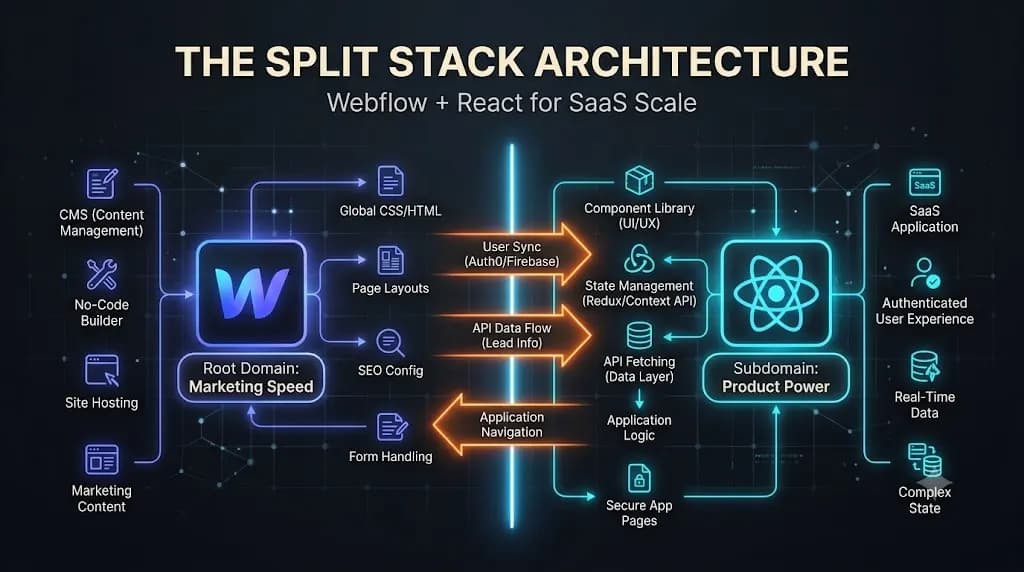
Webflow for Marketing, React for the Product: The Ultimate Split Tech Stack Architecture for SaaS Growth
To scale aggressively in 2026, you must decouple your marketing engine from your product engine. This deep-dive technical guide explores the ultimate split tech stack architecture: utilizing Webflow for the marketing site and React/Next.js for the core product, and how this separation unlocks unprecedented velocity for both your marketing and engineering teams. It is a […]
Escaping “Plugin Hell”: How Custom WordPress Development Rescues Slow, Hacked Websites
If you want to scale your digital presence in 2026, you cannot rely on DIY page builders. You need a structural intervention. Here is the technical deep-dive into why bloated WordPress sites fail, and how professional custom WordPress development provides the ultimate ROI by replacing fragile plugins with a bulletproof, high-performance architecture. You run a […]