5 Proven Fixes for Next.js App Router Waterfalls
Datronix · September 2026 · 6 min read
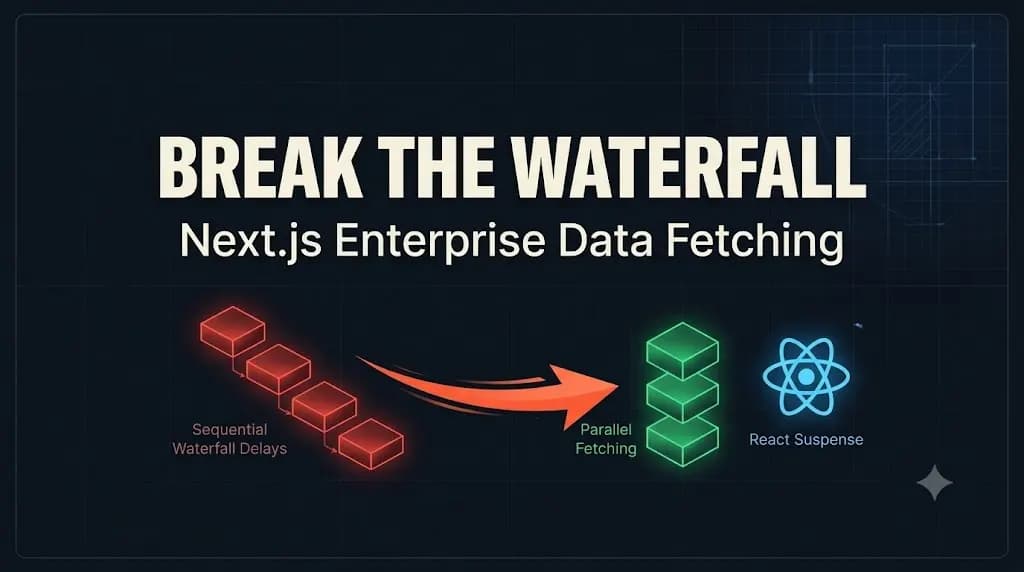
If this sounds familiar, your application is likely a victim of a Next.js App Router waterfall.
It is the most frustrating paradox in modern web development. Your engineering team spent three months migrating your enterprise application from the old Pages Router to the new App Router. You adopted React Server Components (RSC) to ship less JavaScript and improve your Core Web Vitals.
You deploy to production, and the result is a disaster. Your Time to First Byte (TTFB) has doubled. The server response time is crawling.
When Front-End Leads migrate to the App Router, they often carry over old mental models. Because every component is now a Server Component by default, developers naturally start fetching data inside every component. Without a strict architectural strategy, this creates a catastrophic chain reaction of sequential requests.
Here is the technical deep dive into why your server response times are tanking, and the exact architectural fixes you need to implement to build a blazing-fast, streaming Next.js enterprise application.
The Anatomy of a Next.js App Router Waterfall
In the old Pages Router (getServerSideProps), all data for a page was fetched at the absolute top level before rendering began.
In the App Router, data fetching is distributed. You can await fetch() directly inside any nested component. While this is incredibly powerful for component isolation, it introduces a dangerous footgun: The Sequential Waterfall.
Look at this common (and highly destructive) pattern:
// ❌ THE WATERFALL TRAP
export default async function DashboardPage({ params }) {
  // Request 1 starts... and blocks rendering until finished
  const user = await getUser(params.id);

  // Request 2 cannot start until Request 1 finishes
  const orders = await getOrders(user.accountId);

  // Request 3 cannot start until Request 2 finishes
  const notifications = await getNotifications(user.accountId);

  return (
    <div>
       <UserProfile data={user} />
       <OrderHistory data={orders} />
       <Alerts data={notifications} />
    </div>
  );
}
If each request takes 300ms, your server is blocked for almost a full second before it sends a single byte of HTML to the browser. You have created a Next.js App Router waterfall.
Here are the proven strategies to break this trap.
1. The Parallel Fetching Strategy (Promise.all)
If data requests do not depend on each other, they should never be awaited sequentially.
The easiest way to drastically reduce your TTFB is to initiate all independent fetch requests simultaneously and await them together using Promise.all().
// ✅ THE PARALLEL FIX
export default async function DashboardPage({ params }) {
  const user = await getUser(params.id);

  // Initiate both requests simultaneously (Do NOT await them here)
  const ordersData = getOrders(user.accountId);
  const notificationsData = getNotifications(user.accountId);

  // Resolve them together
  const [orders, notifications] = await Promise.all([ordersData, notificationsData]);

  return (
    // ... UI renders here
  );
}
By parallelizing independent requests, your total loading time becomes the length of the slowest single request, rather than the sum of all requests. (You can explore more about resolving Promises in Mozilla’s Developer Network Docs).
2. Decoupling the layout.tsx Blocker
A common architectural mistake is fetching heavy, non-critical data inside your root or segment layout.tsx files.
Because layouts wrap your pages, a slow fetch inside a layout will block the entire nested route from rendering. If your sidebar navigation takes 800ms to fetch user permissions from the database, the main content area will remain a blank white screen for 800ms.
The Fix: Keep layouts as thin as possible. Only fetch data that is absolutely critical for the layout shell itself. Push segment-specific data reads down into the page.tsx files or the specific leaf components that require them. This is a core principle when evaluating how to choose the right tech stack for high-performance applications.
3. Granular Streaming with React Suspense
Even with parallel fetching, your page will still wait for the slowest query before rendering. What if your getOrders query takes 2 seconds because of a legacy ERP connection?
You do not want to punish the user by hiding the entire page. Instead, you must use Streaming via React <Suspense>.
// ✅ THE STREAMING FIX
import { Suspense } from 'react';
import { OrderHistory, OrderSkeleton } from './components';

export default async function DashboardPage({ params }) {
  const user = await getUser(params.id);

  return (
    <div>
       <UserProfile data={user} />

       {/* Stream the slow component independently */}
       <Suspense fallback={<OrderSkeleton />}>
          <OrderHistory accountId={user.accountId} />
       </Suspense>
    </div>
  );
}
In this pattern, the server instantly delivers the HTML for the UserProfile and the OrderSkeleton. The browser can paint the UI immediately. Once the heavy OrderHistory data resolves on the server, Next.js automatically streams the final HTML chunk into the DOM. The Next.js App Router waterfall is completely bypassed.
4. Surviving the Next.js 15 Caching Reality
If you recently upgraded to Next.js 15, you likely noticed another performance drop.
In Next.js 14, fetch requests were aggressively cached by default. In Next.js 15, fetch requests are NOT cached by default. They hit your origin server on every single page load unless you explicitly opt-in.
To prevent your database from being hammered, you must master the new "use cache" directive (if using the experimental dynamic IO) or explicitly define your cache rules:
// Next.js 15 explicit caching
const res = await fetch('https://api.example.com/data', {
  cache: 'force-cache',
  next: { tags: ['dashboard-data'] }
});
(Read more about the evolution of these features in the Official Next.js Caching Documentation).
Conclusion: Stop Waiting, Start Streaming
Migrating to modern React Server Components is not just a syntax update; it requires a fundamental shift in how you architect your data flow.
If your team treats the App Router like traditional Server-Side Rendering (SSR), you will create massive sequential blockers. By utilizing Promise.all(), strategic Suspense boundaries, and explicit caching, you can eliminate the Next.js App Router waterfall and achieve the sub-second load times the framework promises.
(Note: When scoping custom enterprise architectures and Next.js performance optimizations, all Datronix Tech B2B service proposals natively include the requisite 18% GST charge, ensuring complete financial transparency from the initial audit to final deployment).
Is your Next.js application failing its Core Web Vitals?
👉 Contact Datronix Tech for an Enterprise Architecture Audit. We specialize in rescuing stalled migrations and rebuilding custom web applications for maximum scalability. Let our senior engineering team unblock your data streams today.
Related Posts

The $100k Mistake: Why Most B2B Mobile Apps Should Be PWAs
The truth is, building B2B Progressive Web Apps (PWAs) will do the job 95% as well, for a fraction of the initial cost and long-term maintenance overhead. Every week, we speak with Product Managers and Founders who are ready to write a $100,000 check. They want to build dedicated, native iOS and Android applications for […]

Flutter vs. React Native in 2026: Why You Are Choosing Based on the Wrong Constraints
Inevitably, the CTO or Technical Founder falls down the Reddit rabbit hole, attempting to definitively answer the question: Flutter vs React Native? It is a conversation that happens in boardrooms and Slack channels every single day. A pre-Series A startup needs to ship mobile applications for iOS and Android simultaneously. They don’t have the runway […]