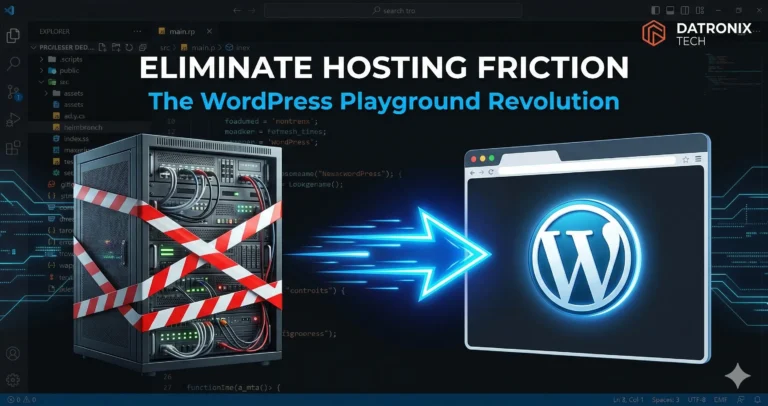
But a fundamental shift has just occurred. With the launch of my.wordpress.net, developers and agencies now have access to WordPress Playground a completely new paradigm that runs a full WordPress instance directly in your web browser.
If you develop, manage, or design for the web, you know the friction of staging. Every time you need to test a new plugin, demo a theme to a client, or debug a fatal error, you have to jump through infrastructure hoops. You spin up a server, configure a subdomain, manage database credentials, and pray you don’t accidentally break the production environment.
This traditional workflow wastes hours of billable time and bleeds money on unnecessary staging infrastructure.
This isn’t just a neat trick; it is the elimination of hosting friction. Here is how this browser-based revolution is changing the way we build, test, and experience WordPress.
The Bleeding Neck: The High Cost of “Quick Tests”
Historically, WordPress and the web server were permanently tethered. To run PHP and MySQL, you needed a Linux environment.
This means there is no such thing as a “quick test” in traditional WordPress development. If an agency wants to safely evaluate a heavy e-commerce plugin, they must:
Provision a new staging server.
Clone the live database (which takes time and bandwidth).
Run the test.
Tear down the environment so they don’t get billed for unused compute resources.
This friction creates a culture of risky behavior. Developers get lazy and test plugins on live sites, leading to the dreaded “White Screen of Death” and lost revenue.
The Tourniquet: Enter WordPress Playground
The introduction of WordPress Playground changes the rules of web development. It decouples WordPress from the traditional server architecture entirely.
By visiting a single URL, you can launch a working, fully functional WordPress instance in seconds.
No hosting required.
No server setup.
No domain needed.
You are given a pristine, admin-level WordPress installation that lives entirely inside your browser tab.
Under the Hood: The Magic of WebAssembly
How is it possible to run a heavy CMS without a server? The answer is WebAssembly (Wasm).
WebAssembly is a modern web standard that allows code written in languages like C, C++, and Rust to run natively in the browser at near-native speeds. The engineering team behind WordPress Playground used WebAssembly to compile the entire PHP runtime, along with a SQLite database (replacing the traditional MySQL), to run directly on the client side.
Because the entire environment executes on the user’s local machine via the browser, there is zero latency from external servers. You are interacting with the application logic locally.
The Sandboxed Development Workflow
WordPress Playground is not a replacement for live production hosting. You still need a robust web host to serve your website to the public. Instead, it is the ultimate development and testing companion.
Here is how it upgrades your workflow:
1. Fully Disposable Environments
Want to see what happens when you install three conflicting page builders? Go ahead. Playground environments are strictly ephemeral. When you close the browser tab, the entire site vanishes. You can test destructive changes without any risk to your actual infrastructure.
2. Instant Rollbacks and Exporting
Because the environment is sandboxed, you can easily export your setup. You can configure a perfect client demo in Playground, export it as a .zip file, and send that file to a client. They can upload it to their own Playground to test-drive the site before you ever deploy it to a live staging server.
3. Isolated Debugging
If a client reports a bug, you don’t need to risk breaking their live site to find the cause. You can spin up a Playground instance matching their exact WordPress and PHP version, install the isolated plugin, and replicate the error in a safe, vacuum-sealed environment.
Conclusion: Stop Paying for Friction
Every hour your team spends configuring temporary servers or fighting with local development environments (like XAMPP or Docker) is an hour they aren’t building value for your clients.
WordPress Playground is eliminating the barrier to entry for WordPress development. It allows agencies to build faster, test safer, and pitch clients with seamless, instant demos. It is time to modernize your workflow and leave the staging servers for final deployment.
Are your developers spending more time managing servers than writing code?
👉 Get a Free WordPress Setup Audit Let’s evaluate your current development pipeline and see if you are losing time and money on outdated workflows.