WordPress Customer Portal – The phone rings. You pick it up.
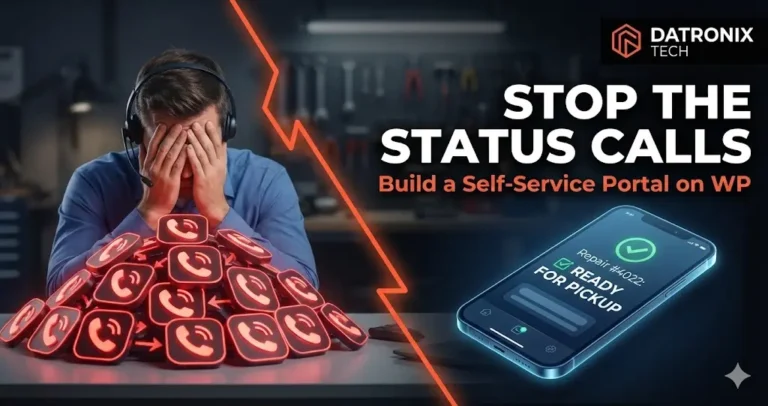
“Hi, I dropped off my MacBook on Tuesday… is it ready yet?”
You put them on hold, walk to the back room, ask the technician, walk back to the phone, and deliver the update. Ten minutes later, the phone rings again. Same question, different customer.
For service businesses auto repair shops, computer fix-it centers, watchmakers this is the “Status Call Loop.” It kills productivity. If you spend just 3 minutes per call and get 20 calls a day, you are losing 60 hours a month just repeating information that already exists in your system.
The solution isn’t to hire a receptionist. The solution is Customer Self-Service.
In the Amazon era, customers expect to track their repairs like they track a package. Here is how to build a “Track My Repair” portal directly on your WordPress site that saves your sanity.
The “Black Hole” of Service Operations
When a customer drops off an item, they feel anxiety. They have entered a “black hole” where they don’t know if their car is being fixed or if it’s sitting in a parking lot.
According to Gartner, 85% of customer service interactions start with self-service. Customers don’t want to call you. They want to type in a Ticket ID, see “Status: In Progress,” and get on with their day.
If your high-converting business website design doesn’t include a portal, you are forcing customers to use the channel they hate most: the phone.
How to Architect a Status Portal on WordPress
You don’t need an expensive enterprise ERP system. You can build a lightweight, secure portal using WordPress. Here are the three main approaches:
Option A: The “Low-Code” Gravity Forms Method
For smaller shops handling <50 active tickets.
Database: Use a plugin like Gravity Forms or WS Form.
Input: Staff enters the repair status via a hidden form on the backend.
Frontend: Create a “Check Status” page where the customer enters their email or Ticket ID.
Display: The form views the entry associated with that ID and displays the “Status” field.
Pros: Cheap, fast. Cons: Manual data entry.
Option B: The “Custom Post Type” (CPT) Method
For businesses that want WordPress to be their CRM.
Structure: Create a Custom Post Type called
Repairs.Fields: Use Advanced Custom Fields (ACF) to add data points:
Ticket ID,Status,Technician Notes,Estimated Completion.Security: Ensure these posts are not indexed by Google.
Search: Build a custom search form that queries the
RepairsCPT bymeta_value(Ticket ID) and displays the result.
Option C: The API Integration (The Pro Move)
If you already use a CRM (like HubSpot, Salesforce, or specialized repair software), do not duplicate data. Sync it.
The Hook: When a technician updates the status in your internal software, a Webhook fires.
The Catch: Your WordPress site receives the data via the REST API.
The Update: WordPress updates a custom database table or checks the external API in real-time when the customer searches.
This connects perfectly with CRM AI Chatbots, allowing users to ask a bot for their status instead of searching manually.
Security: Protecting Customer Privacy
Building a portal introduces responsibility. You cannot allow Customer A to guess Customer B’s Ticket ID and see their address or phone number.
Best Practices for Portal Security:
Double Authentication: Require two data points to view a status (e.g., “Ticket ID” AND “Last Name”).
Rate Limiting: Prevent bots from brute-forcing Ticket IDs by limiting searches to 3 per minute from a single IP.
Data Minimization: The status page should only show generic info (“Waiting for Parts,” “Ready for Pickup”). Never display personal contact details on the public-facing status result.
The ROI of “Status: Ready”
Imagine regaining those 60 hours a month.
Instead of answering phones, your staff is fixing devices. Instead of frustrated customers waiting on hold, they get instant gratification on your website.
A “Track My Repair” portal is not just a technical feature; it is an operational asset that scales your ability to handle volume without adding headcount.
Conclusion: Stop Being a Call Center
You run a repair shop, not a switchboard. Technology should shield you from repetitive tasks, not create them.
By building a simple frontend portal, you modernize your customer experience and free your team to focus on the work that actually pays the bills.
Ready to automate your front desk? 👉 Get the Service Portal MVP Feature List A checklist of exactly what your portal needs to launch.