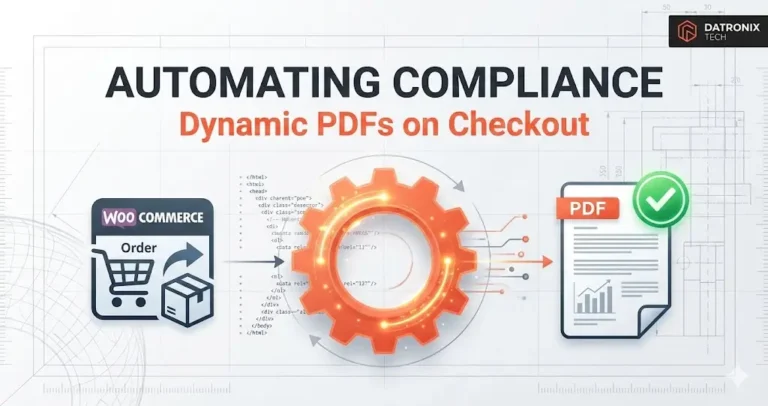
In the B2C world, a simple “Order Confirmation” email is enough but in B2B, WooCommerce Dynamic PDF Generation becomes essential for invoices, packing slips, and compliance.
In the B2B industrial world, that email is useless without the paperwork attached.
If you sell chemicals, construction materials, or medical supplies, your customer cannot legally accept the shipment without a Tax Invoice, a Material Safety Data Sheet (MSDS), or a Certificate of Analysis (CoA) containing the specific batch number of the product shipped.
For many B2B merchants, this creates a “Paperwork Bottleneck.” You get 50 orders a day, but your warehouse team spends 4 hours manually typing data into Word templates, saving them as PDFs, and emailing them one by one.
This isn’t just slow; it’s a liability. One typo in a batch number on a safety certificate can lead to a compliance audit failure.
The solution is to stop treating documents as static files and start treating them as dynamic code. Here is how to automate the generation of complex, data-rich PDFs directly within the WooCommerce checkout flow.
Why Standard Plugins Fail
There are dozens of “PDF Invoice” plugins for WooCommerce. They are great if you just need a receipt.
But they fail when you need Variable Logic.
Scenario: “If the customer buys Product A (Chemical), attach the Hazardous Materials Cert. If they buy Product B (Gloves), attach the Standard Warranty.”
Scenario: “The PDF must include the specific ‘Batch Number’ custom field entered by the warehouse team after the order is packed.”
Standard plugins are templates. They cannot handle this level of conditional logic. To solve this, we need to bypass the plugins and build a custom generator using PHP libraries like mPDF or TCPDF.
The Architecture: Hook, Generate, Attach
We recently explored building advanced features with custom WooCommerce APIs. This follows the same principle: we are intercepting the standard WooCommerce order flow to inject our own logic.
Here is the 3-step technical workflow:
1. The Trigger (The Hook)
We don’t want to generate the document immediately upon checkout because the specific “Batch Number” might not exist yet.
Instead, we hook into a specific order status change, such as woocommerce_order_status_completed.
PHP
add_action( 'woocommerce_order_status_completed', 'generate_compliance_pdf', 10, 1 );
function generate_compliance_pdf( $order_id ) {
    // Logic starts here
}
2. The Engine (MPDF Library)
Inside the function, we pull the order data. This is where the magic happens. We can pull:
Customer Data: Tax ID (VAT/GST), Company Name.
Product Data: SKU, Attributes.
Meta Data: Custom fields like
_lot_numberor_expiration_date.
We then feed this data into an HTML template. Using the mPDF library, we convert this HTML into a pixel-perfect PDF on the fly.
Why mPDF? Because it supports CSS styling. You can make your generated Safety Certificate look exactly like your branded letterhead, complete with logos, watermarks, and legal footers.
3. The Delivery (Email Attachment)
Once the PDF is generated in the server’s temporary memory, we hook into the woocommerce_email_attachments filter.
We tell WooCommerce: “Before you send the ‘Order Completed’ email to the customer, check if there is a generated file in this temporary directory. If yes, attach it.”
The result? The customer receives their “Your Order has Shipped” email, and the specific, legally required PDF is already attached. Zero human intervention.
Integrating with the Wider Stack
Automation shouldn’t stop at the PDF.
Just as we discussed in our guide on how to automate lead capture from Brevo to Google Sheets, this PDF generation process can trigger other workflows.
Archiving: Automatically upload the generated PDF to a specific Google Drive folder shared with your accounting team.
Printing: Send the PDF file directly to a cloud-connected printer in the warehouse so it can be physically stuck onto the pallet.
The Compliance Advantage
The biggest benefit here isn’t speed; it’s accuracy.
When a human types a Certificate of Analysis, they make mistakes. When code generates it, it pulls the data directly from your Product Database. If the database says the purity is “99.8%”, the certificate will say “99.8%.”
For industries like Pharma, Aerospace, or Food & Beverage, this data integrity is worth more than the time savings.
Conclusion: Code Your Compliance
If your business is growing but your admin team is drowning in Word documents, you have an automation problem.
By using libraries like mPDF within WooCommerce, you can turn a 15-minute manual task into a 0.5-second background process. You ensure 100% compliance, 0% errors, and a B2B customer experience that feels professional and instant.
Is manual paperwork bottling up your warehouse? 👉 Get the B2B Automation Workflow Demo See how we automate complex invoicing and certification for industrial sellers.