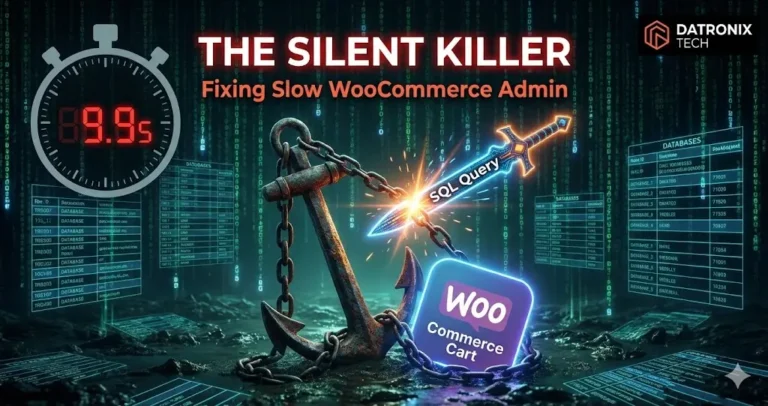
Your website loads for customers in under two seconds great. But when your warehouse manager tries to print a shipping label, the dashboard spins endlessly, signaling the need for a Slow WooCommerce Admin Fix.
It takes 10 seconds to load the “Orders” page. It takes another 15 seconds to update a status to “Completed.”
If you process 50 orders a day, that lag adds up to 20 minutes of lost productivity per person, per day. Over a year, you are paying your staff thousands of dollars just to watch a loading wheel.
This isn’t a hosting issue. You can upgrade to the most expensive AWS server, and it will still happen. The problem is Database Bloat.
Here is the technical deep dive into why your WooCommerce backend is dying and how to perform the surgery to save it.
The Anatomy of a Slow Admin
Frontend speed depends on Caching (serving static HTML). Backend speed depends on Database Queries (generating dynamic data).
Every time you load wp-admin, WordPress fires hundreds of SQL queries. If your database is clogged with “junk data,” those queries have to dig through a mountain of trash to find the one order ID you asked for.
Here are the three specific areas where WooCommerce databases get clogged.
1. The “Autoloaded Options” Trap
The wp_options table is the brain of your WordPress site. It stores settings like your site URL, active plugins, and theme configurations.
Crucially, it has a column called autoload. If this is set to “YES,” WordPress loads that row of data on every single page load, regardless of whether it’s needed.
The Bloat: Many plugins (especially old ones) dump massive amounts of temporary data into wp_options and set it to autoload=yes.
Example: An abandoned “Abandoned Cart” plugin storing thousands of cart sessions in the options table instead of a custom table.
The Threshold: If your total Autoloaded Data exceeds 800KB, your site will crawl. We frequently audit sites with 10MB+ of autoloaded garbage. This means every time you click “Update Order,” the server has to carry a 10MB backpack before it can take a step.
2. Transients: The “Ghost Data”
Transients are temporary cache data stored in the database (e.g., “API response from FedEx” or “Instagram Feed Cache”). They are supposed to expire and delete themselves.
The Bloat: They often don’t delete themselves. A cron job fails, or a plugin is poorly coded, and suddenly you have 500,000 rows of expired transients in your wp_options table.
This bloat makes SQL queries like SELECT * FROM wp_options agonizingly slow.
Is your server timing out during cleanup? Read our guide on how to fix WordPress server and database errors.
3. The wp_postmeta Nightmare
WooCommerce (historically) stores order data in the wp_posts and wp_postmeta tables.
The Order: Stored as a “Post.”
The Customer Name, Address, Total, Items: Stored as individual rows in
wp_postmeta.
For a single order, WooCommerce might create 40+ rows in wp_postmeta. If you have 10,000 orders, that is 400,000 rows of meta data.
The Indexing Issue: When you try to search for “Orders by Customer X,” MySQL has to scan this massive table. If your database lacks proper Indexing, this scan is slow. It’s like trying to find a specific page in a book that has no table of contents.
The Fix: High-Performance Order Storage (HPOS). WooCommerce recently launched HPOS to move order data into its own dedicated custom tables, bypassing the slow wp_postmeta entirely. If you haven’t migrated to HPOS yet, you are voluntarily slowing down your business.
The Solution: Surgical Cleanup
You cannot just install a “Optimize Database” plugin and hope for the best. That is like putting a band-aid on a bullet hole. You need a technical intervention.
Analyze Autoloaded Data: Run a SQL query to identify which plugins are abusing the
wp_optionstable. Delete the rows from plugins you deleted 3 years ago.Clear Expired Transients: Use WP-CLI (Command Line Interface) to flush expired transients safely without timing out the server.
Add Database Indexes: Manually add indexes to
wp_postmetafor keys that you search frequently (like_billing_emailor_sku).
This is standard procedure in our Ecommerce Website Development Services. We don’t just build stores; we keep the engine clean.
Conclusion: Speed is Operational Efficiency
A slow backend isn’t just a technical annoyance. It is a leak in your payroll.
If your team can process orders 20% faster, you can ship 20% more product without hiring more staff. The ROI of cleaning your database is immediate.
Is your admin panel killing your team’s vibe? 👉 Get a Free Database Health Check We’ll identify your bloat and tell you exactly what to delete.