Why Undertake Shopify ERP CRM Integration?
E‑commerce is no longer a simple “cart and checkout” flow. Merchants juggle product catalogs, order fulfilment, returns, marketing and customer support across dozens of tools. 72% of companies already run a fully integrated SaaS commerce platform, yet many still rely on manual exports or siloed systems to manage inventory and customer relationships. When your inventory management system (ERP) and customer‑relationship management platform (CRM) don’t talk to your store, you wind up with stockouts, delayed shipments and disconnected customer experiences.
Shopify offers a powerful foundation for selling online, but to truly unlock efficiency you need to connect it to back‑office systems. An ERP centralizes finance, supply chain, manufacturing and fulfilment, while a CRM stores every customer interaction across sales, support, marketing and social. Integrating these systems with Shopify synchronizes inventory, order and customer data in real time. The result is a single source of truth for your business and a frictionless experience for shoppers. This guide explains the benefits of ERP CRM integration, reviews available methods and presents a roadmap for connecting your data securely.
The Business Case for Shopify ERP CRM Integration
Eliminate Data Silos and Improve Accuracy in Shopify ERP CRM Integration
When your CRM “talks” to the rest of your stack, data silos disappear. A Resco survey found that 74% of salespeople say CRM systems improve access to customer data. Connecting your CRM to ecommerce, support and marketing channels multiplies this benefit because every touchpoint feeds into a unified customer profile. Inventory data improves too: integrating an ERP with Shopify centralizes sales, inventory and customer information and automates processes like order fulfilment and stock updates, reducing manual‑entry errors. In practice, this means you no longer oversell items or miss re‑order alerts because your ERP updates stock levels the moment a sale is recorded.
Personalize Marketing and Increase Satisfaction with Shopify ERP CRM Integration
Integrated customer data enables advanced personalization. Retail is expected to be the fastest‑growing segment of the CRM market because integration powers segmentation and purchase‑history targeting. Shopify’s unified customer profile enriches each contact record with browsing behavior and marketing engagement, enabling highly segmented campaigns and intelligent product recommendations. Customers notice the difference: 83% say they feel more loyal to brands that respond to and resolve their complaints quickly—a task made much easier when support agents see purchase history and past interactions in one dashboard.
Gain Real‑Time Insights and Analytics with Shopify ERP CRM Integration
Centralizing data doesn’t just remove busywork; it provides actionable insights. An integrated ERP gives executives a real‑time view of product availability, orders and financial performance. Deep analytics reveal sales trends and customer behavior, empowering data‑driven decisions about inventory planning, pricing and marketing. Because sales updates flow straight into the ERP, finance sees revenue instantly, inventory updates automatically and order fulfilment starts without manual hand‑offs. This tight coupling delivers better cash‑flow visibility and fewer stockouts.
Boost Efficiency and Automation with Shopify ERP CRM Integration
Integrations transform your tech stack from a collection of tools into a cohesive workflow. When your sales team closes a deal, it automatically syncs to the ERP, updates inventory in Shopify and sends the invoice to finance. Automated workflows extend to marketing too: integrated CRMs can trigger emails, reminders and follow‑ups, and 80% of organizations already use CRM systems for sales reporting and process automation. By eliminating manual data entry and repeating tasks, you free up staff to focus on innovation and customer experience.
Understanding Shopify ERP CRM Integration
What Is ERP Integration?
Enterprise Resource Planning (ERP) systems connect all business processes—finance, manufacturing, supply chain, sales, procurement and more—into one system. An ERP integration means connecting this system with other software to synchronize data and automate workflows. Shopify’s Global ERP Program partners with leading providers such as Microsoft Dynamics 365 Business Central, Oracle NetSuite, Infor, Acumatica and Brightpearl. Once your store is connected to an ERP, you can access accurate inventory, product, order and customer data in real time, implement automation and avoid time‑consuming custom implementations.
What Is CRM Integration?
A customer‑relationship management (CRM) integration connects your CRM to other apps—ecommerce platforms, marketing tools, support desks and social channels—to create a single view of the customer. It eliminates data silos, improves data accuracy and accessibility and enriches customer profiles for personalization. CRM integrations span ecommerce (keeping customer profiles, orders and transactions in one place), email marketing, marketing automation, social media, help desks and accounting. Integrating CRM and ERP together connects customer‑facing data with back‑office operations, ensuring revenue flows straight into the ERP, inventory updates automatically and fulfilment starts without manual intervention.
Shopify ERP CRM Integration Methods
There is no one‑size‑fits‑all approach to connecting Shopify with an ERP or CRM. Common methods include:
Native connectors – Many modern ERPs and CRMs offer out‑of‑the‑box integrations with Shopify. These applications sync data with a few clicks and require minimal maintenance. Shopify’s App Store lists a growing ecosystem of ERP and CRM connectors.
Integration Platform as a Service (iPaaS) – Middleware platforms like Patchworks, Tray.io or Make sit between Shopify and other systems, allowing merchants to drag, drop and configure workflows without coding.
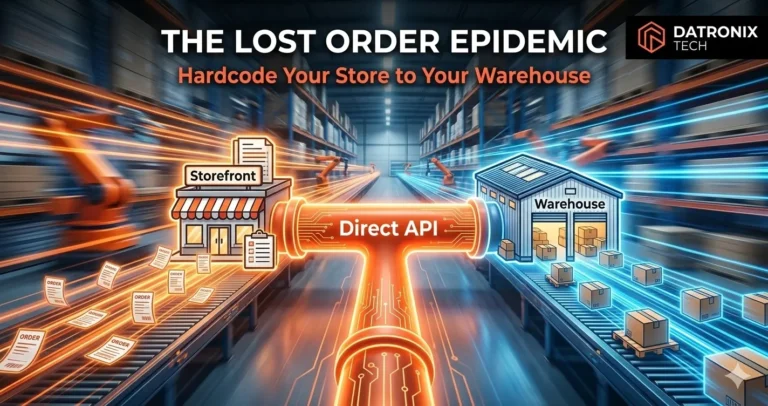
APIs – For more control, developers can use the REST or GraphQL APIs exposed by Shopify, ERPs and CRMs to build custom integrations. This approach supports precise data mapping and bespoke workflows but requires technical resources.
Custom code – When systems are legacy or very specific requirements exist, writing your own integration code offers total control. However, every platform update demands maintenance, so this route is best reserved for complex cases.
Successful integration often uses a combination of these methods. For example, you might leverage a native Shopify connector for basic data sync and an iPaaS platform for more complex workflows like syncing customer segments from a CRM to a marketing automation tool.
Selecting the Right ERP/CRM for Shopify
Not all ERP or CRM systems are created equal. When choosing a solution, consider:
Compatibility – Select an ERP that offers native or third‑party integrations with Shopify to ensure seamless implementation and automated data flow. The Top10ERP guide recommends evaluating systems based on integration capabilities, company size, scalability and feature sets.
Integration with other systems – Look for a platform that connects to accounting software, payment gateways and CRM or marketing tools. A well‑integrated stack prevents brittle connections that break as your business adds more systems.
Scalability and performance – Your chosen system should handle increasing order volumes and new products without disrupting operations. Evaluate whether the integration pricing model scales with usage.
Security and compliance – Ensure the ERP/CRM supports strong security features, including data encryption, access controls and backups. Look for compliance with GDPR and CCPA.
Usability and support – A user‑friendly interface, mobile access and reliable customer support reduce training costs and speed adoption.
Finally, engage stakeholders early. Inform employees and partners about the benefits of integration, provide training and secure executive buy‑in. Involving key staff in the selection process fosters ownership and smooths the transition.
Implementation Roadmap: From Planning to Go‑Live
Integrating an ERP or CRM with Shopify is a project. Breaking it into manageable phases mitigates risk and makes progress visible. Here’s a roadmap:
Define objectives – Identify pain points (e.g., inventory inaccuracies, slow order processing, inconsistent customer data) and set measurable goals, such as reducing stockouts or shortening order‑to‑ship time.
Audit and clean your data – Organize and deduplicate Shopify data before connecting to the ERP/CRM to ensure data integrity. Set up validation rules and duplicate checks.
Choose the integration method – Decide whether native connectors, iPaaS, APIs or custom code best fit your requirements, using the decision matrix above.
Configure and map fields – Map Shopify objects (products, customers, orders) to ERP/CRM fields. For APIs, define endpoints, authentication and pagination. If using iPaaS, configure workflows using drag‑and‑drop connectors.
Test thoroughly – Conduct integration tests in a sandbox environment to identify and fix issues before go‑live. Monitor sync times, error rates and system speed.
Train your team – Organize interactive training sessions with role‑specific scenarios. Provide user guides, cheat sheets and ongoing support.
Go live in phases – Roll out the integration in stages (for example, start with order sync, then add inventory sync) to manage budget and timeline expectations. Gather feedback after each phase and iterate.
Monitor and optimize – After launch, track performance metrics (sync times, error rates) and monitor user feedback. Refine workflows, update configurations and add automation as your business evolves.
Security and Compliance Considerations
Customer data is sensitive. Shopify and its partners enforce strong security measures, but the burden of compliance ultimately rests with the merchant. Follow these guidelines:
Encrypt data in transit and at rest – Use TLS 1.2 or higher for data moving between systems and AES‑256 for stored data.
Respect privacy laws – GDPR and CCPA require that you let customers view, change or delete their data, track what data you collect and obtain permission before sharing it.
Implement role‑based access and audit logs – Limit sensitive data to only those who need it and track who accesses what and when.
Establish retention rules and DPAs – Define how long you keep customer records and ensure that third‑party apps sign data‑processing agreements.
Run regular security audits and updates – Schedule periodic reviews of your integrations, test your security controls and update them as threats evolve. Break the integration into manageable steps and engage experienced consultants when dealing with complex or sensitive data.
Measuring ROI and Next Steps
Investing in integration pays off quickly. The CRM market is growing fast and is expected to reach $163 billion by 2030. Faye Digital’s 2025 analysis noted that a mid‑market manufacturer reduced order‑processing time from 18 to three minutes after integrating CRM and ERP, saving 2,050 hours annually and generating a 247% return on investment in 18 months. Even non‑profit organizations achieve a median ROI in about 11.8 months.
Integration also sets the stage for advanced capabilities such as dynamic pricing, predictive inventory and headless commerce. If you’re looking to build custom integrations beyond what off‑the‑shelf connectors offer, check out our guide on custom WooCommerce APIs and webhooks. The same principles apply when developing custom Shopify integrations via the REST and GraphQL APIs.
Conclusion
Connecting your ERP and CRM with Shopify isn’t just an IT project—it’s a strategic investment in your brand’s future. By centralizing inventory and customer data, you eliminate errors, personalize experiences and empower teams with real‑time insights. With a clear plan and the right tools, you can automate workflows, strengthen security and scale your business efficiently. Whether you start with native connectors, leverage an integration platform or build a custom API, the key is to act now. The longer your systems remain siloed, the more opportunities you miss. Seamlessly connect your back office and customer data today, and build the foundation for unified commerce tomorrow.