The email arrives on a Tuesday afternoon. It isn’t a customer complaint or a wholesale inquiry—it’s a legal demand letter tied to Shopify ADA compliance.
In the United States, predatory lawsuits targeting e-commerce sites under the Americans with Disabilities Act (ADA) have skyrocketed. In 2025 alone, thousands of Shopify merchants were sued because their websites were deemed “inaccessible” to users with visual, auditory, or motor impairments.
When the panic sets in, most brand owners search for a “Shopify ADA lawsuit fix.” They find a “quick fix” app a widget or “overlay” that promises 100% compliance for $49 a month.
Here is the hard truth: These widgets are often the very thing that puts a target on your back.
To protect your brand, you need to understand the difference between an “automated band-aid” and True Code Remediation.
The Illusion of the “Accessibility Widget”
You’ve seen them: the little blue stick-figure icons in the corner of a website. When clicked, they allow users to change font sizes or invert colors.
Apps like AccessiBe or UserWay market themselves as an instant solution. However, legal experts and accessibility advocates warn that these overlays are fundamentally flawed:
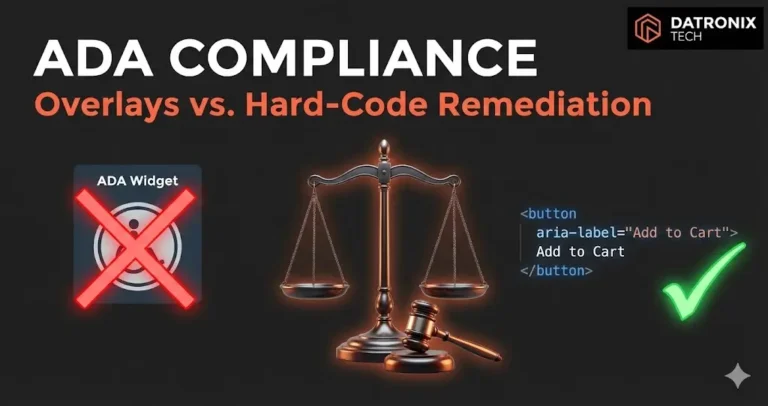
They Don’t Fix the Source Code: Overlays sit on top of your site like a transparency film. They try to “guess” what an image is or where a button leads, but they don’t actually repair the underlying theme code.
Screen Reader Interference: Power users who rely on screen readers often have their own specialized software. ADA overlays frequently conflict with these tools, making the site harder to navigate, not easier.
The “Lawsuit Magnet” Effect: Law firms now use automated scanners to find sites using these overlays. To a litigator, an overlay is a signal that the owner knows they have an accessibility problem but hasn’t actually fixed it.
What “True Code Remediation” Looks Like
If you want to be “lawyer-proof,” you must adhere to the Web Content Accessibility Guidelines (WCAG) 2.1 Level AA. This isn’t achieved with a plugin; it is achieved through Custom Shopify Development.
Hard-coding compliance involves four critical pillars:
1. Semantic HTML and ARIA Roles
Your theme must use correct HTML tags so that a screen reader knows a “button” is a button and not just a clickable piece of text. We implement ARIA (Accessible Rich Internet Applications) labels to provide context for dynamic elements like cart drawers and search bars.
2. Keyboard Navigation
Could a customer buy a product on your site using only the “Tab” and “Enter” keys? Most Shopify themes fail this. Code remediation ensures that the “focus state” is visible and that users aren’t trapped in a “keyboard trap” inside a pop-up.
3. Alt-Text and Contrast Ratios
Beyond just adding alt-text to images, we audit your brand’s color palette. If your “Add to Cart” button text doesn’t have enough contrast against the background, it’s a violation. We fix this at the CSS level so it’s consistent across the entire store.
4. Form Labeling
Every input field from your newsletter sign-up to your checkout must have a programmatically linked label. If a blind user doesn’t know what a text box is for, they can’t give you their email or credit card info.
The Business Case for Accessibility
Beyond avoiding lawsuits, accessibility is simply good for business.
Better SEO: Google’s bots are essentially “blind” users. When you make your site easier for a screen reader to crawl, you make it easier for Google to index.
Expanded Market: Over 60 million people in the US live with a disability. If your site is inaccessible, you are voluntarily turning away a massive demographic.
For newer brands, incorporating these standards early is a cornerstone of our Web Development Services for Startups, ensuring you don’t have to rebuild your foundation two years later when a legal letter arrives.
Conclusion: Don’t Rent Your Compliance
An overlay is a subscription to a false sense of security. Code remediation is an investment in your brand’s permanent infrastructure.
If you are serious about protecting your revenue and your reputation, stop looking for a “widget” and start looking at your code. True accessibility isn’t an “on/off” switch; it’s a commitment to a better user experience for everyone.
Are you worried your site is a legal liability? 👉 Get a Manual Accessibility Audit We perform a human-led audit based on lawyer-approved WCAG 2.1 standards to find the gaps that automated scanners miss.