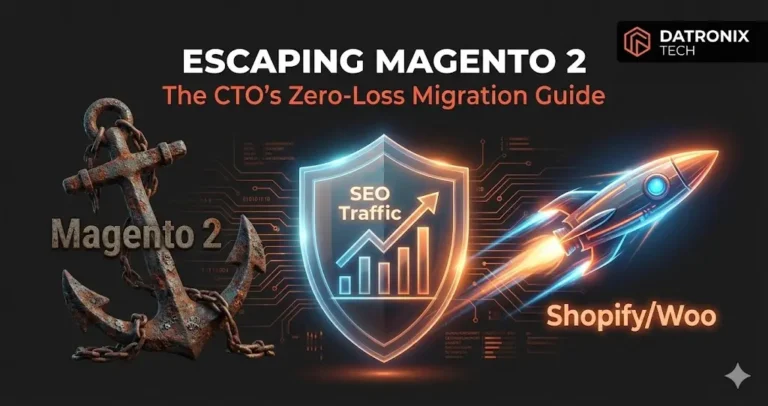
For many enterprise brands, Magento 2 has shifted from a powerful asset to a technical debt anchor, making Magento Shopify migration SEO a critical priority for sustainable growth.
The symptoms are universal: monthly developer retainer fees that look like mortgage payments, constant emergency security patches, and a backend so complex that a simple CSS change requires a full deployment cycle.
You know it’s time to move to a more agile environment like Shopify Plus or a headless WooCommerce setup. However, there is one fear holding you back from pulling the trigger: SEO Suicide.
In the e-commerce world, a platform migration is like moving a skyscraper three blocks over without disturbing the people inside. If you mess up your URL mapping, Google will see 10,000 “404 Not Found” errors, and your organic revenue will vanish overnight.
As a CTO, you don’t just need a migration; you need an insurance policy. Here is the technical roadmap to escaping Magento 2 while keeping your SEO rankings intact.
The Magnitude of the “Magento 404” Risk
Magento’s URL structure is notoriously unique. It often uses deep nesting and .html suffixes (e.g., store.com/category/product-name.html). Shopify and WooCommerce use flatter, cleaner structures (e.g., store.com/products/product-name).
Google has spent years indexing your Magento links. If those links break during the move, you lose the “link equity” built over a decade. This is why the role of SEO in driving organic traffic is the most critical factor to consider during any replatforming project.
Phase 1: The Pre-Migration Data Audit
Before a single line of code is written on the new site, you must crawl your existing Magento store.
We use tools like Screaming Frog to export a master list of every indexed URL. This includes:
Product URLs: Often the easiest to map.
Category/Collection URLs: Crucial for “Top of Funnel” traffic.
CMS Pages: Your “About,” “Size Guides,” and “Support” pages.
Image Assets: Often overlooked, but losing Google Image rankings can tank traffic for visual brands.
Phase 2: Strategic 301 Mapping (The “Golden Record”)
The heart of a successful migration is the 301 Redirect Map. This is a spreadsheet that matches every old Magento URL to its new Shopify/Woo counterpart.
The “Clean” vs. “Preserve” Dilemma: Many CTOs try to use the migration to “clean up” their URL structure. While a cleaner structure is better for long-term SEO, drastic changes can confuse Google’s crawlers.
The Datronix Strategy: We prioritize preserving the “slug” (the part after the last slash) as closely as possible. If Magento had
product-name.html, we map it to/products/product-name. We then use a data migration script to programmatically generate these redirects in bulk, ensuring that not a single “long-tail” product link is missed.
Phase 3: Handling Metadata and Schema
Magento stores metadata (Meta Titles, Descriptions) in a specific database format. When you export your CSVs, this data often gets stripped or garbled.
If your new site goes live with generic, auto-generated meta descriptions, your Click-Through Rate (CTR) will plummet, signaling to Google that your site is now “less relevant.”
We use custom scripts to map Magento’s meta_title and meta_description attributes directly into the new platform’s corresponding fields. Furthermore, we ensure that your Structured Data (Schema.org) which handles those “Star Ratings” and “Price” snippets in Google is carried over or improved.
(Note: If moving to Shopify, be wary of app bloat. We’ve discussed the risks of over-reliance on third-party code in our guide on Shopify custom app deprecation).
Phase 4: The Post-Launch “Hyper-Care” Period
The day you flip the switch is not the end; it is the beginning of the most critical 72 hours.
Search Console Monitoring: We monitor Google Search Console for a spike in 404 errors.
Sitemap Submission: We manually submit the new
sitemap.xmlto prompt Google to crawl the new structure immediately.Site Speed Validation: Magento sites are often slow; your new site should be 2-3x faster. This performance boost often offsets any minor “ranking tremors” caused by the migration.
Conclusion: Migration is a Surgical Procedure
Escaping Magento 2 shouldn’t feel like a gamble. When handled with a “data-first” approach, a migration is an opportunity to shed technical debt while actually improving your SEO through better page speed and a cleaner UX.
You sell the insurance by ensuring the technical “plumbing” the redirects, the metadata, and the schema is flawlessly executed.
Is Magento 2 holding your growth hostage? 👉 Download the ‘Zero-Traffic-Loss’ Migration Checklist The exact technical steps we take to ensure your rankings stay put during a replatform.