The CEO spent six months and $50,000 implementing an enterprise CRM but without a Custom Google Sheets API Sync, frontline teams still default to spreadsheets.
But if you walk into the operations room, you’ll see the truth: The team is still using Google Sheets.
They aren’t being stubborn; they are being efficient. For many service businesses, a rigid CRM feels like a straightjacket. Google Sheets, however, is a playground where they can pivot data, build custom formulas, and manage logistics with zero friction.
The problem? Manual data entry. When a user signs up on your web portal, someone has to copy-paste that data into the master spreadsheet. This “Human Middleware” is where the errors happen typos in phone numbers, missed rows, and outdated inventory levels.
The solution isn’t to force your team into the CRM. The solution is to turn Google Sheets into a high-performance database by building Custom API Webhooks.
Why Middleware (Zapier/Make) Often Falls Short
When teams decide to automate their sheets, they usually start with a “no-code” connector. We are big fans of no-code automation for simple tasks, like automating lead capture from Brevo to Google Sheets.
But for complex operational architectures, middleware hits a wall:
The “Row Limit” Lag: When your sheet hits 10,000+ rows, generic connectors often time out or create duplicate entries.
One-Way Thinking: Most connectors just “append” a new row. They struggle to find an existing row (like a specific Order ID) and update a single cell (like “Shipping Status”).
The Cost Scale: If you are syncing 5,000 transactions a month, you are paying a heavy monthly tax for a “data bridge” you could own for free.
The Tourniquet: Building the Direct API Pipeline
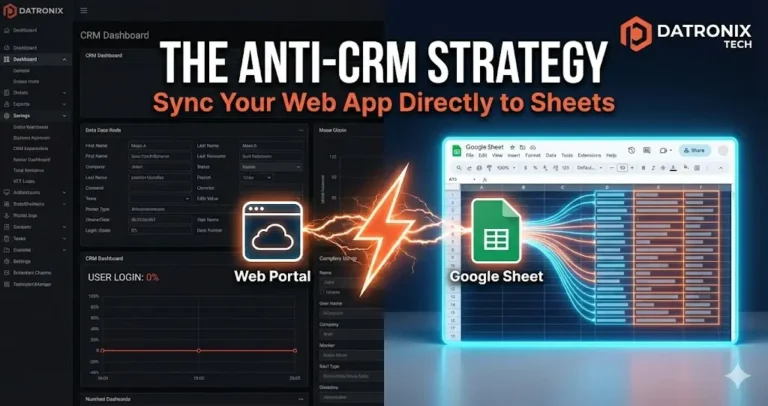
Instead of a middleman, we build a direct bridge using Google Apps Script and Custom Webhooks. This allows your web app (React, Node, PHP) to talk directly to your Google Sheet as if it were a professional SQL database.
1. The Listener (Google Apps Script)
We deploy a small script within your Google Sheet that acts as an “API Endpoint.” It sits silently, waiting for a secure JSON payload from your web portal.
2. The Logic (Conditional Mapping)
Unlike a simple “Zap,” a custom script can run complex logic before the data hits the cell.
“Is this a returning user? Update their last-active date in Row 452.”
“Is the inventory below 10? Send a Slack alert and highlight the row in red.”
“Does this Order ID already exist? Replace the data instead of adding a new line.”
3. The Payload (Secure Webhooks)
Your web portal fires a webhook the moment an action occurs a form submission, a successful payment, or a status change. Because this is a Direct API Sync, the latency is near-zero. Your operations team sees the “Live” data as it happens.
Scaling the “Anti-CRM”
Once the bridge is built, Google Sheets stops being a static document and starts being an Operational Dashboard. You can build:
Auto-Generated Reports: Every Monday at 8:00 AM, the script summarizes the week’s data and emails it to the CEO.
Client Portals: Pull data out of the sheet to show a customer their project status on your website.
Compliance Logs: Automatically timestamp every edit so you have a “Who, What, When” audit trail.
Conclusion: Meet Your Team Where They Live
The best technology is the one people actually use. If your operations team loves Google Sheets, don’t take it away from them supercharge it.
By building custom API connections, you eliminate the “Human Middleware,” remove the manual entry errors, and give your team a professional-grade tool inside the interface they already trust.
Ready to stop the copy-pasting? 👉 Get an Operations Automation Audit Let’s connect your web portal to your sheets and see how much time we can save your team.